


General information on digital post-exam reviews of paper pencil exams with Exam Scan (Pilot testing)

The RWTHmoodle team at the IT Center and CLS has developed a plugin called Exam Scan that enables examiners to conduct digital post-exam reviews of paper-pencil examinations via RWTHmoodle. It also facilitates the digital grading of the digitized individual exam copies outside of RWTHmoodle. In addition, the plugin represents an intermediate step on the path toward digital archiving of examination records in the central electronic examination file ELPA that is currently in progress.
Exam Scan is integrated into the Assignments activity. Here, managers can customize an exam template with QR codes. Later they provide students with their individual corrected exam copy as downloadable feedback files in PDF format.
Optionally, the Choice activity can also be used if students are required to register in advance for the post-exam review.
Exam Scan will be in pilot operation during the 2025/26 winter semester and must be activated separately for participating course rooms. If you are interested in using it, please contact RWTHmoodle Support. Please note the general conditions that apply to participation in pilot phases for new RWTHmoodle functions.
1. Process overview
The following diagram illustrates the process steps by way of example. The final step of archiving in the central electronic examination file ELPA is in preparation but is currently not yet possible. It is highlighted accordingly in color:
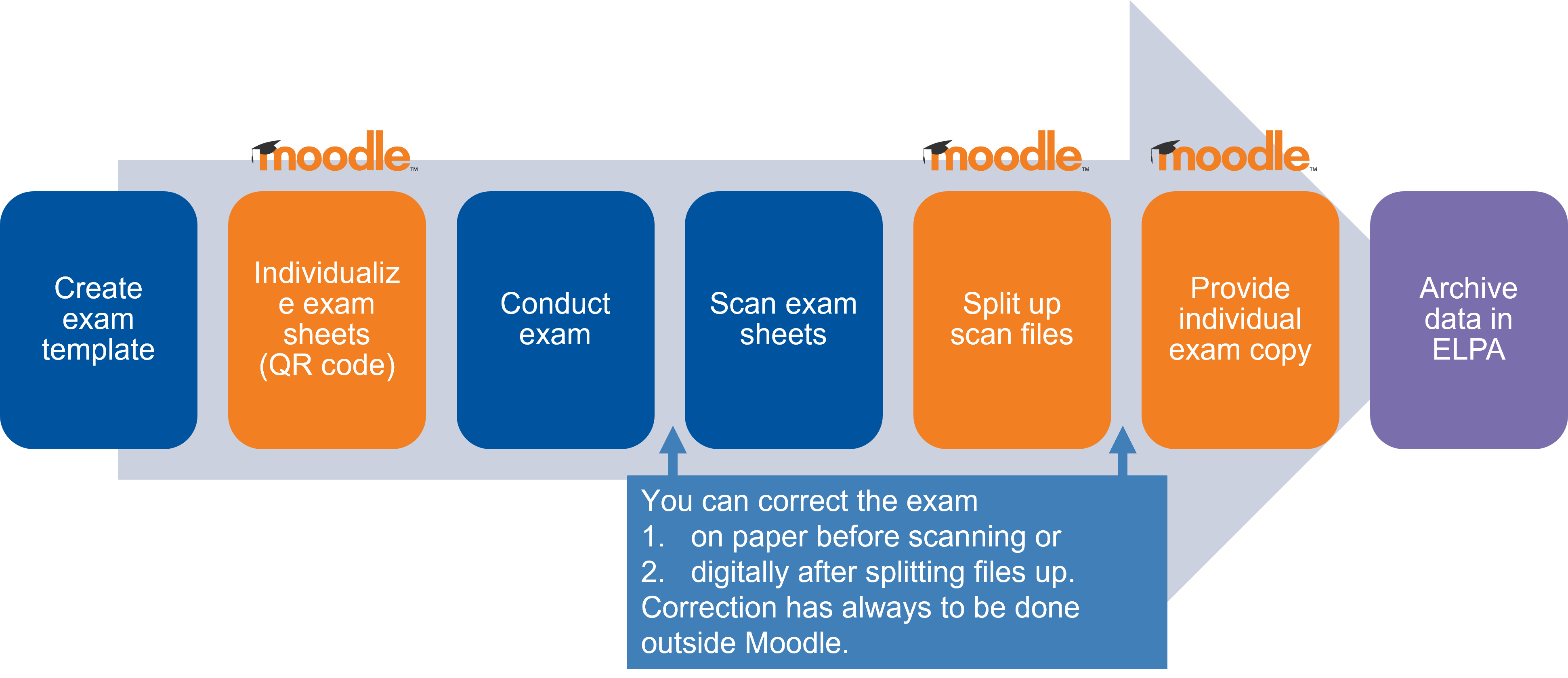
2. Overview of the most important steps
The plugin is integrated into the assignment activity. It allows the managers of a course to individualize an exam template with QR codes and duplicate it for printing.
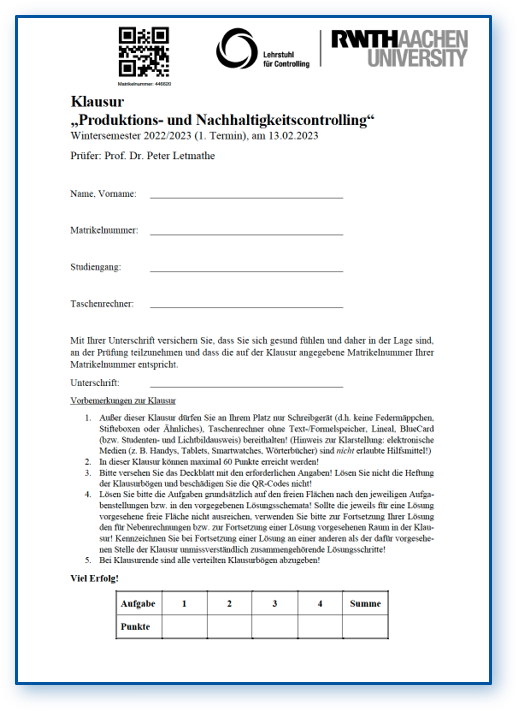
Alternatively, labels with QR codes can be generated. After the exam documents have been created, the printed labels are affixed to the first page of each exam sheet before the exam is conducted. As a variant, the labels can also be attached during analog grading of the exam in order to subsequently digitize the documents by scanning.

In both variants, the PDF file containing the scanned exams is split into individual files in RWTHmoodle using the QR codes and assigned to the appropriate students for review. During the granted review period, students can then download their corrected individual exam copy as a PDF. In the assignment activity used for the review, students by default only have access to their own exam copy.
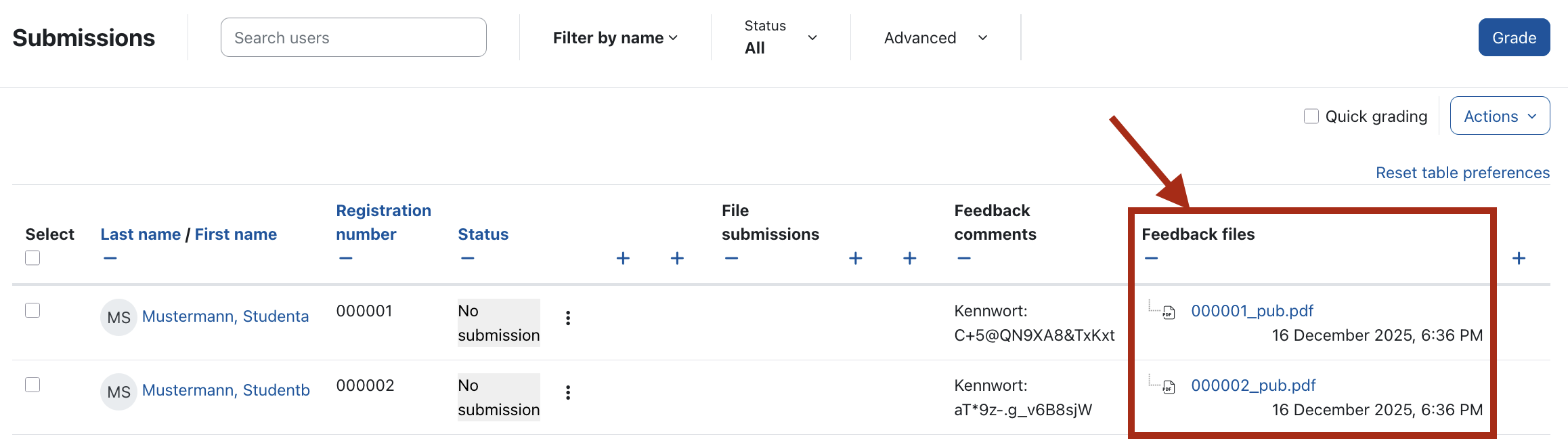
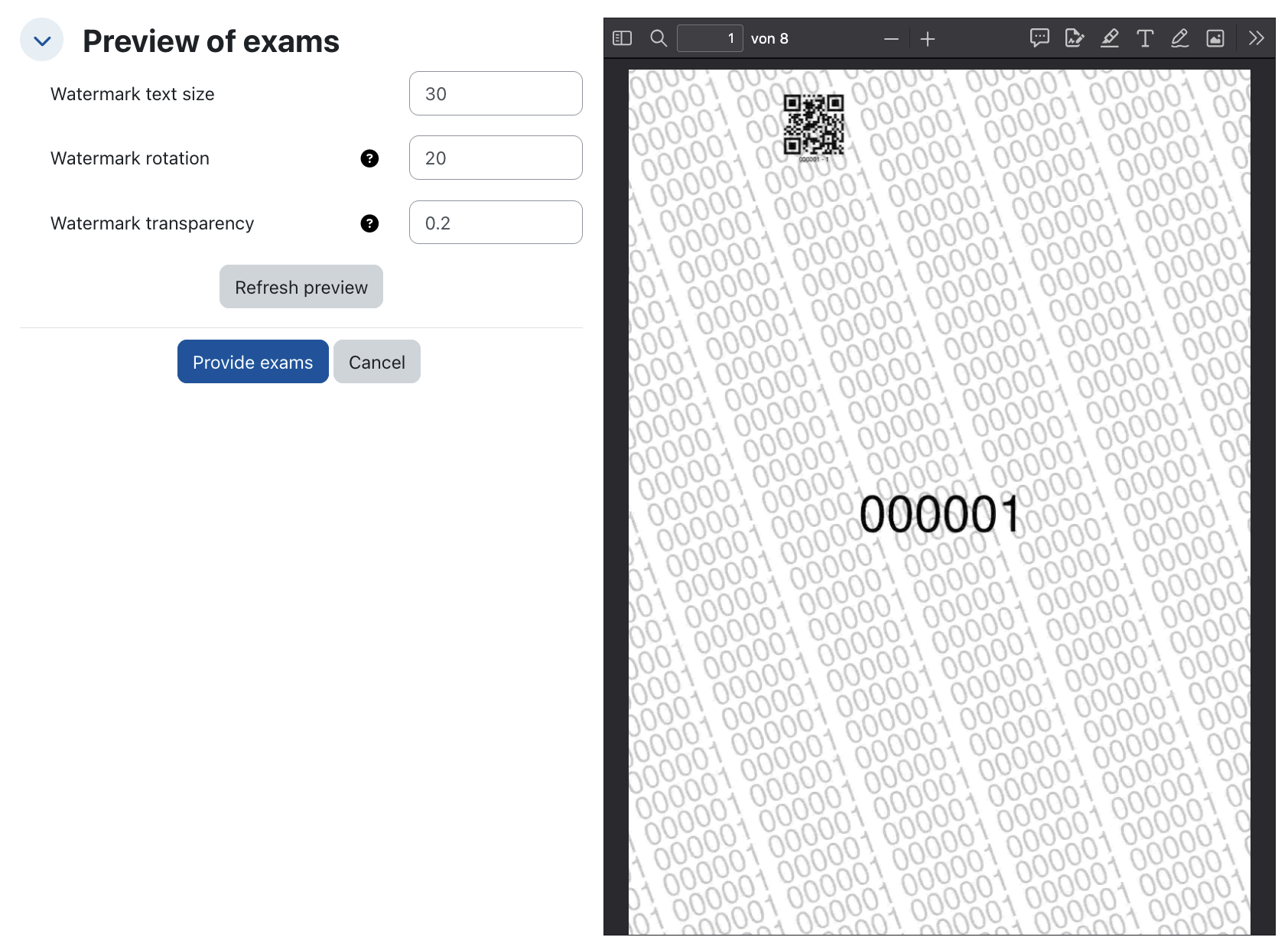
Before making the files available, managers can, if necessary, insert a watermark into the review copies and set a password in order to make unauthorized distribution to third parties more difficult.
Together with the exam copy, you can also provide a form that allows students to submit written objections. Students upload these directly in the assignment used for the review within the time window granted for this purpose.
The splitting of the scanned exam into individualized copies also makes it possible to download the individual files for digital grading of the exam, upload the corrected files again, and assign them individually to students for review.
3. Further information
A detailed guide is provided on the page Exam creation and digital review via Exam Scan (pilot operation) in the RWTHmoodle documentation.
If you have questions or are interested in participating in the pilot phase for Exam Scan, please contact the RWTHmoodle support.
