


Preview "Basic Template (Course format Custom sections)

This course template offers a consistent basic structure with central areas for orientation, communication & support, learning content, exam information, FAQs, and feedback. It does not contain pre-configured Moodle activities but provides customizable template components for recurring elements of the learning space. It is therefore particularly suitable for instructors who wish to largely design their learning space themselves based on a predefined structure.
This course template uses the Topics course format, in which all sections and subsections are arranged vertically. Individual sections can be expanded or collapsed so that only the relevant content is displayed as needed. However, with very extensive learning spaces, the amount of scrolling required may increase, especially if multiple sections are expanded simultaneously.
If you prefer a layout where each section appears on its own page, the basic course template is also available in the Single-Topic format. The structure and prepared elements are identical in both course formats; they differ only in the display and navigation of the course areas. In the Single-Topic format, each section is accessed via its own tab. This allows students to switch directly between individual course areas without having to scroll through the entire course page.
If you also wish to use additional prepared elements and pre-configured Moodle activities, the Extended course template is available. This version is based on the same basic structure but includes template components and pre-configured Moodle activities that can be adopted, customized, or removed as needed. The Extended course template is also available in both the Topics and Single-Topic formats.
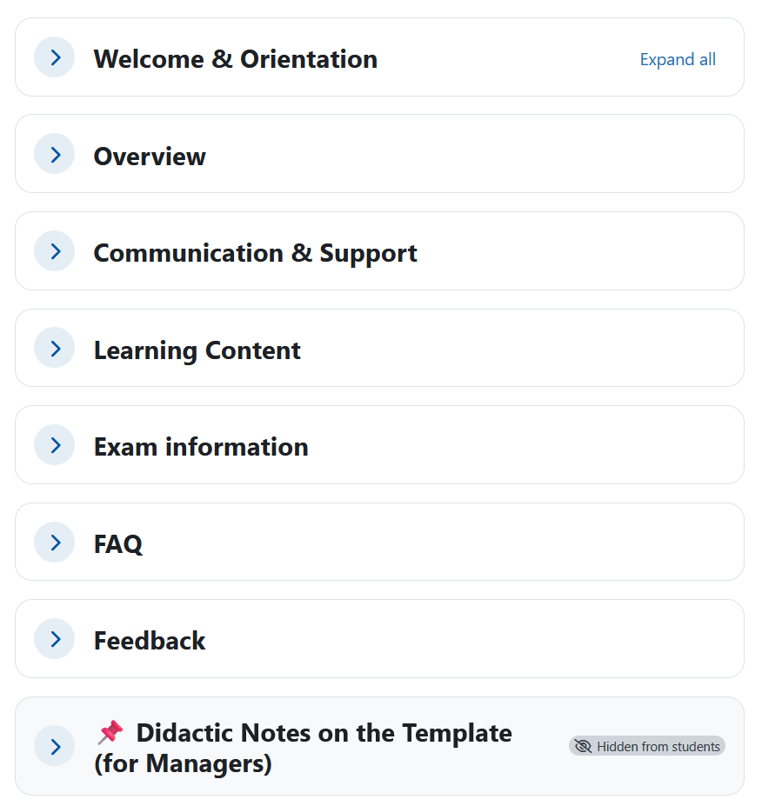
Key features of the basic course template using the Topic Sections course format:
- Basic structure featuring seven core course sections visible to students
- Display of all sections and subsections stacked vertically on a single course page
- Central, customizable navigation overview with links to the course sections
- Breakdown of learning content into individual learning units
- Editable template components for learning outcomes and the semester schedule
- No pre-configured Moodle activities – specific design and setup are handled individually by instructors
Recommended for:
- Instructors who wish to use a predefined basic structure but want significant freedom in designing their learning space
- Learning spaces where course sections are to be displayed stacked vertically on a single page
- Courses requiring flexible adaptation of the predefined structure and template components
