


Revoke Roles

There are three ways to revoke a role:
- If the Role Expiry Date is exceeded, the role will be automatically revoked.
- If the person no longer fulfills the conditions for the role, the role will be automatically revoked.
- As a role manager, you can also revoke roles manually. Please be mindful of your responsibilities as role manager.
To revoke a role manually, please follow these steps:
Step 1
Open Role management (opens in new tab).
Step 2
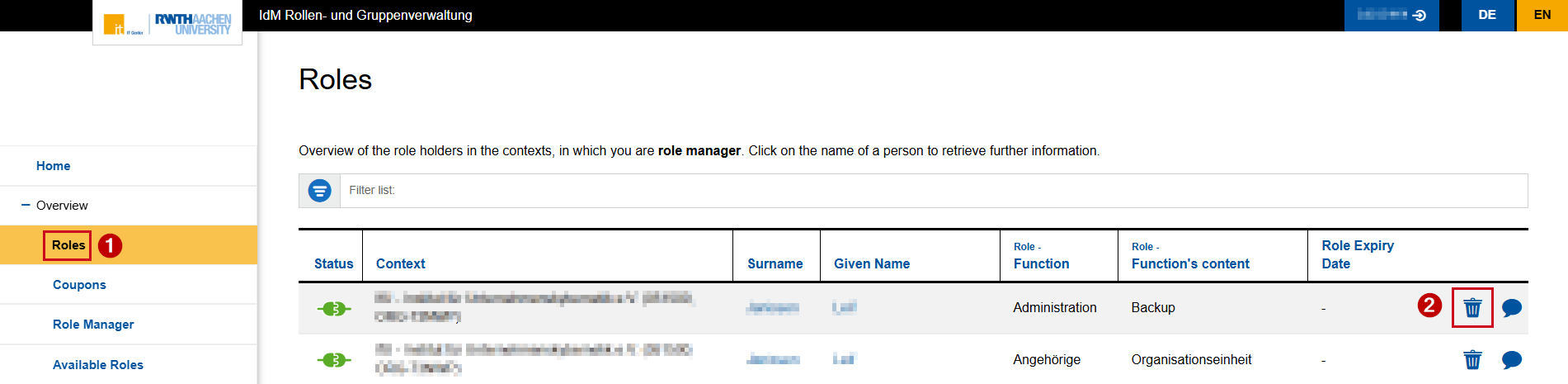
Click Roles under "Overview" in the menu on the left.
Step 3
Search for the correct person and role in the overview table.
Step 4
Click the bin symbol ("Revoke role association").
Step 5
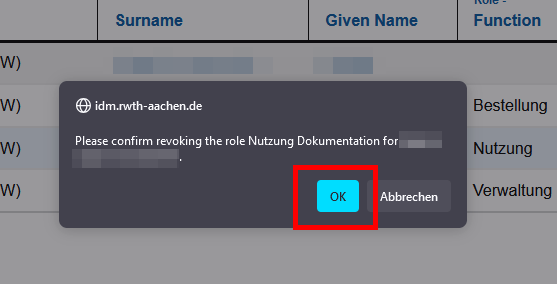
Click OK to confirm the removal of the role.
The role has been revoked.
