


Role Management Overview

This page shows an overview of the functions in role management.
Role management is only accessible to persons with the role Verwaltung Rollen ("Role Management").
Login
As role manager, you can login to the role management (opens in new tab) with your RWTH Single Sign-On account.
Alternatively, you can log in into the IdM-Selfservice (opens in new tab) and click on the Rollenverwaltung link in the role overview. You will be taken to the Role Management landing page. In terms of content, this landing page is a copy of the Roles and Groups view from IdM SelfService and IdentityAdmin, but it does not include the view of automatically assigned roles:
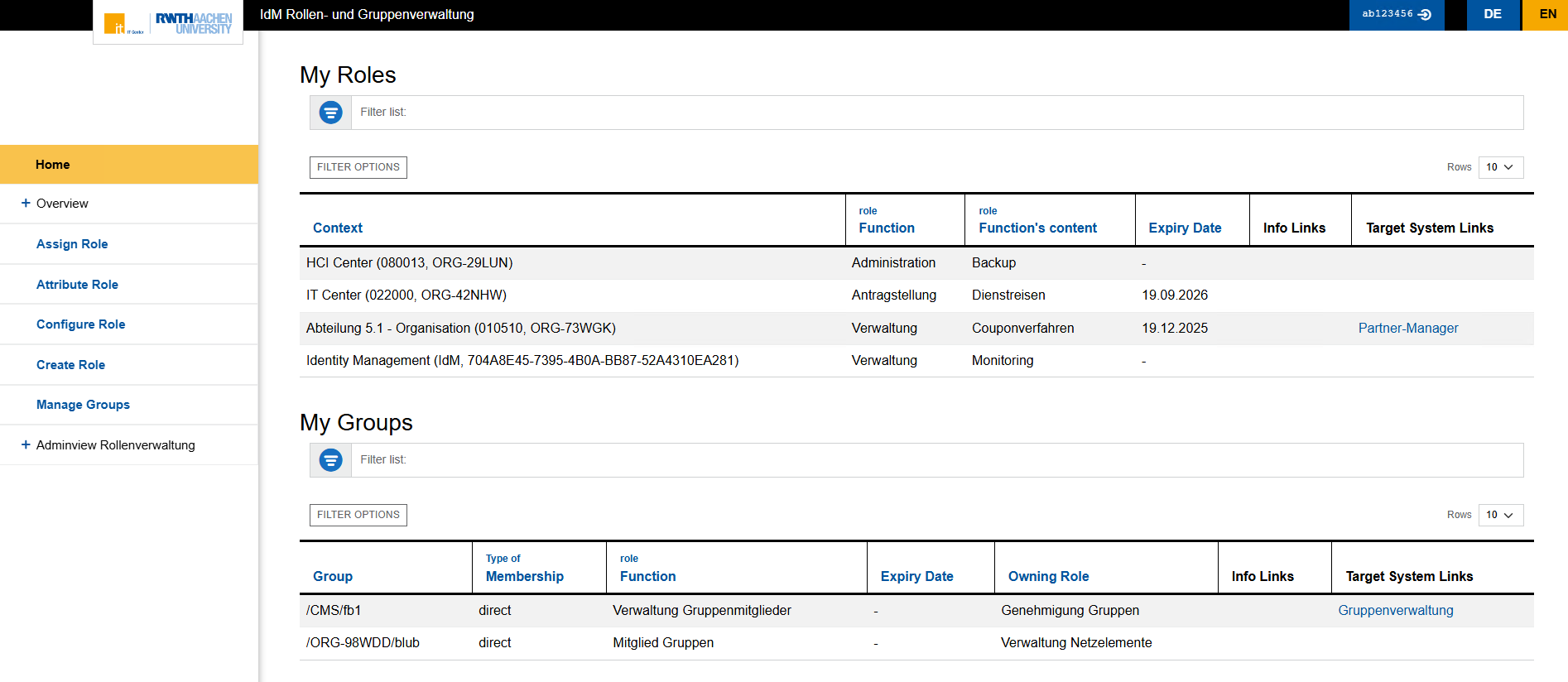
Overview of the Role Manager
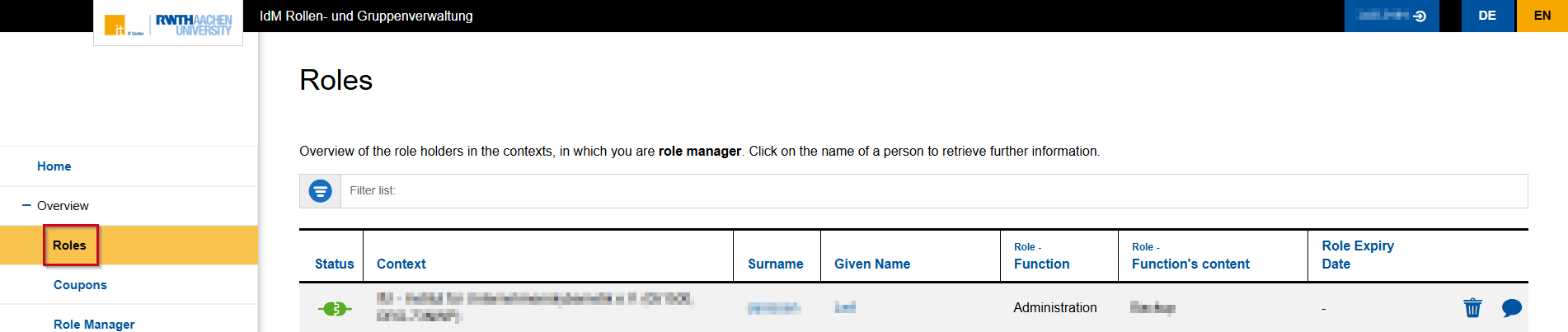
The "Overview"tab has 4 subsections:
Under "Role", you can view the roles that have been assigned in your organization(s).
- The field "Filter list" allows you to filter by person, context, role and role expiry date.
- In the column "Role expiry dates", you can extend a role.
- Click the trash can icon to revoke a role.
- Click the speech bubble to add or view a comment about a role.
- If the minimum number of role holders is too low for a certain role, an alert message will be displayed.
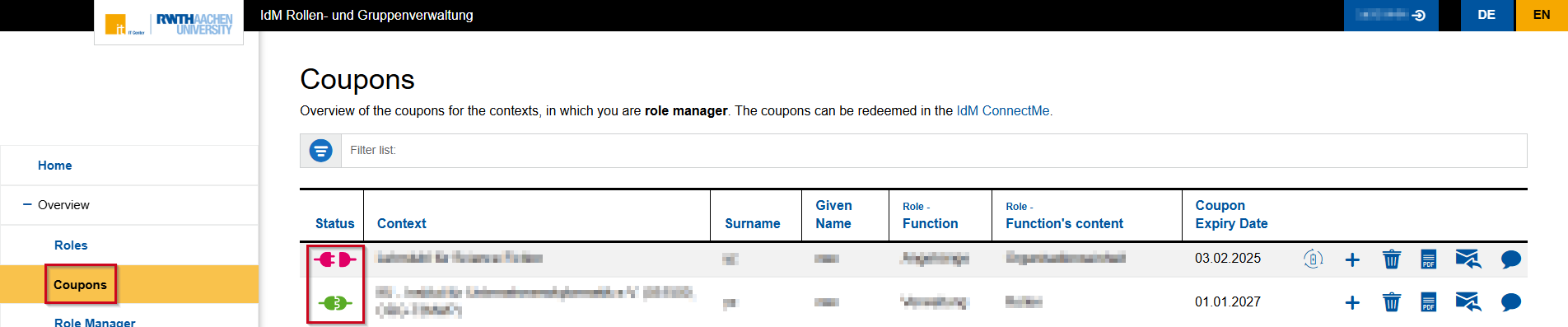
Under "Coupons", you can view all attributed roles at your organization.
- A green plug symbol in the column "Status" means that the role coupon has been redeemed.
- An orange, unplugged plug means that the coupon has not been redeemed yet and is expiring soon.
- A red, unplugged plug means that the coupon has not been redeemed and is expired.
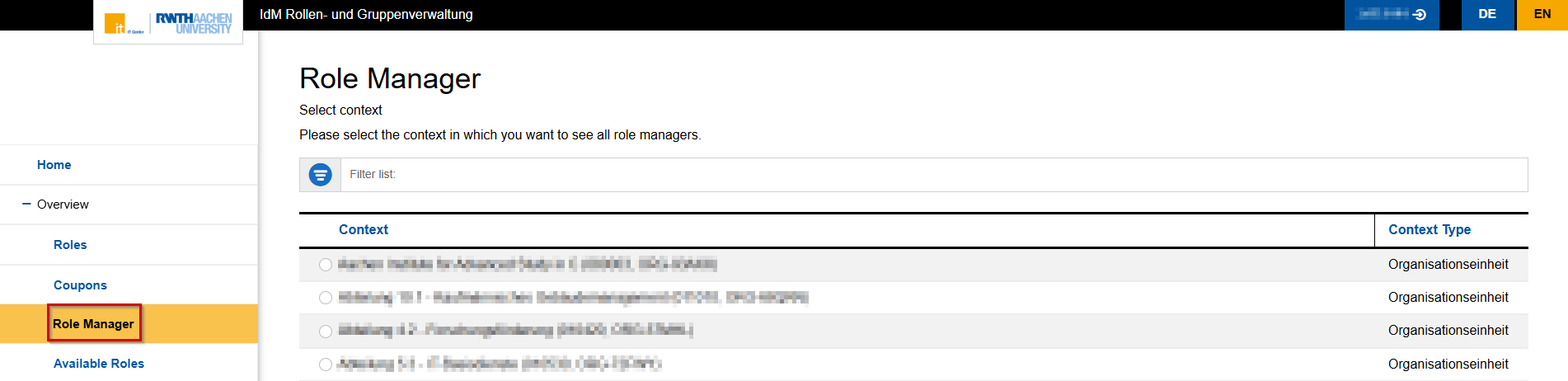
Under "Role Manager", you can find all the people with the role Verwaltung Rollen in other organizations.
Under "Available Roles", you can find all the roles that can be assigned at RWTH Aachen.

