

You are located in service: Identity Management

Devices (OAuth)

Devices (OAuth)

information

 You can manage your device's permissions under "Devices (OAuth)" in the IdM-Selfservice.


Manage Applications

The "Applications" page lists the mobile apps with access to RWTH services, such as the RWTHapp.

To view an app's permissions, click View scope in the "Scope" column.

To revoke an app's permissions, check the box next to its name and click Delete.
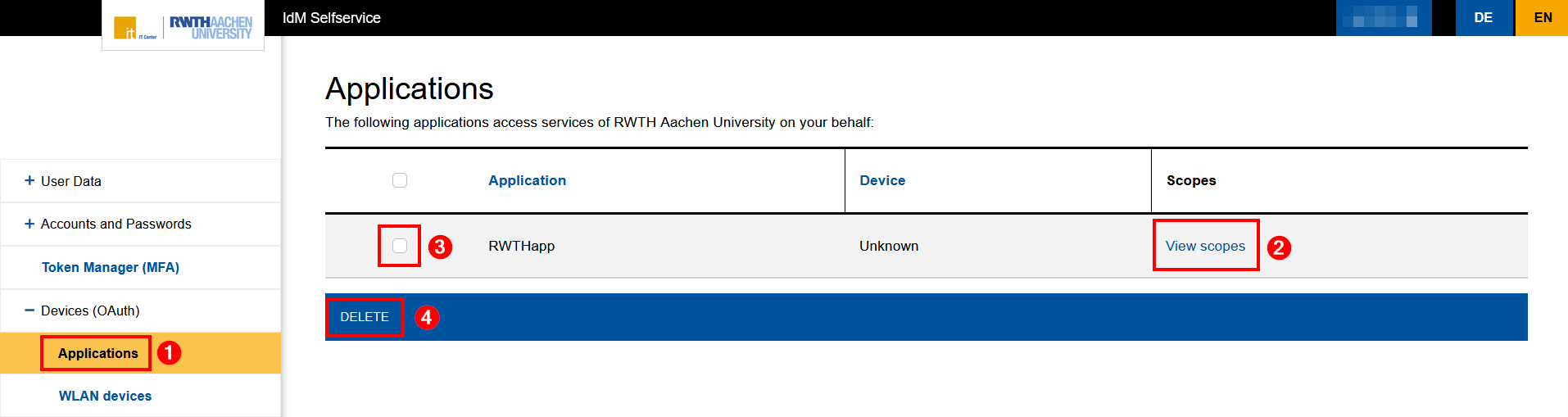
Screenshot of the "Applications" section in IdM Selfservice. This section is located under the expandable "Devices (OAuth)" section. The applications are listed in a table with three columns: Application, Device, and Scopes. The "Delete" button is located below the table.

Manage WLAN Devices

On the "WLAN devices" page, you will find a link to the eduroam Devicemanager.
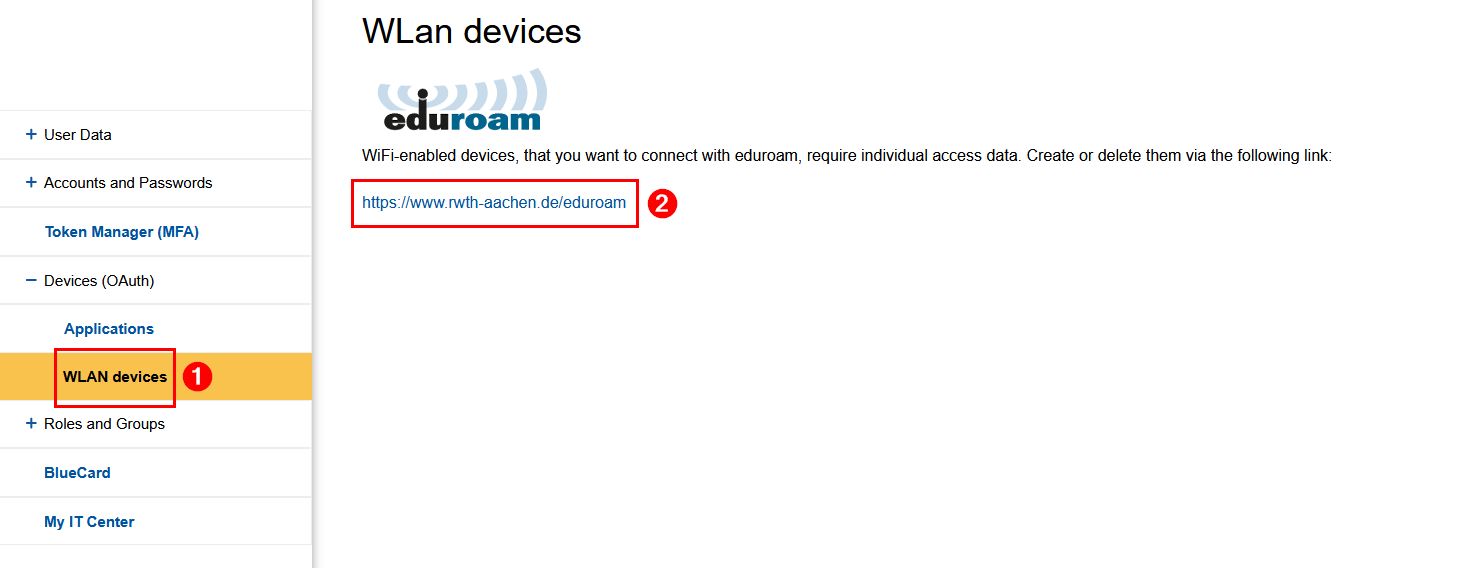
Screenshot of the "Wi-Fi Devices" section in the expandable "Devices (OAuth)" section. The URL for the eduroam device manager is located below an informational text.

In the eduroam Devicemanager, you can generate and manage your login credentials for eduroam and RWTH-institutes.

last changed on 03/17/2026

How did this content help you?

Creative Commons Lizenzvertrag
This work is licensed under a Creative Commons Attribution - Share Alike 3.0 Germany License