


Overview TK-Portal

The TK Portal is a web interface provided by the IT Center for managing and controlling telephone services, in particular the Cisco telephone system.
Users can manage various settings and functions related to their telephony online via the TK Portal.
Overview of the TK-Portal
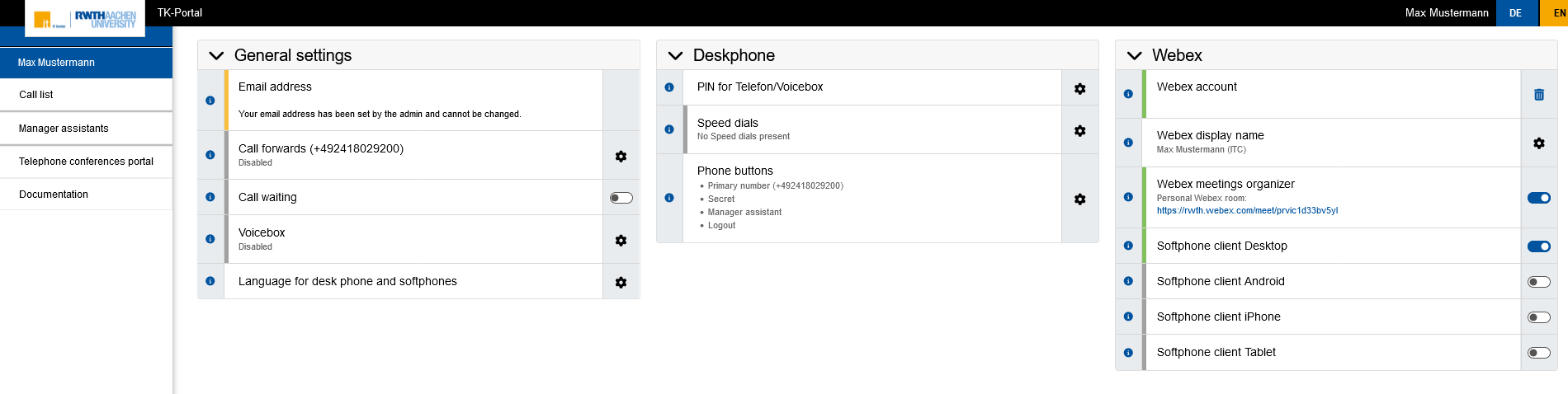
- In the upper right corner, to the right of your name, you can switch between the German and English language views.
- The "General settings", "Deskphone" and "Webex" menus can be opened or closed by clicking on the respective bar.
- By clicking on the “i icon” in the respective row, further information about the individual functions is displayed.
General settings
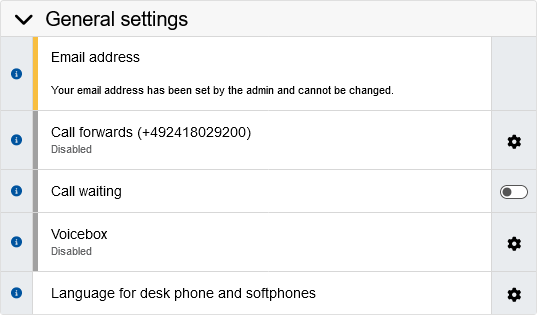
- Email address: Select your email address that will be displayed in Webex and used to log in to Webex. The available email addresses are obtained from IdM.
- Call forwards: Set up forwarding for incoming calls in specific situations.
- Call waiting: Enable and disable the call waiting feature, which allows you to accept another call while you are already on a call.
- Voicebox: Configure a voice mailbox or answering machine.
- Language for desk phone and softphones: Language in which the desk phone and softphones are operated
Deskphone
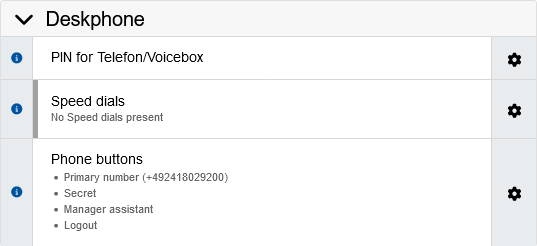
- PIN for telephone/voicemail: Change the PIN required to log in to the telephone and voicemail.
- Speed dials: Set up speed dials to quickly select stored numbers on your desk phone.
- Function keys: This feature is still in development.
Webex
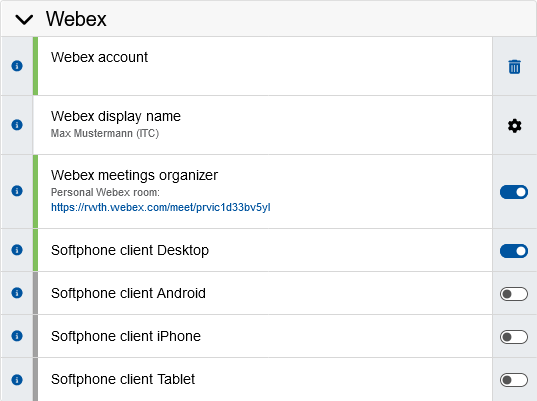
- Webex account: Shows the status of your Webex account.
- Webex display name: Select the Webex display name.
- Webex Meetings organizer: Required function for creating Webex meetings via Outlook or Webex.
- Softphone client: Activate and deactivate Webex client telephony on your desktop, Android smartphone, iPhone, or tablet.
