Call Pickup on a Cisco Phone

The prerequisite for call pickup between multiple phone numbers is that the phone numbers in question must first be connected by a pickup group.
You can request a pickup group by submitting a TK-request. To do so, please use the “Sonstiges” field and, in addition to your request, list all phone numbers that should be added to the pickup group.
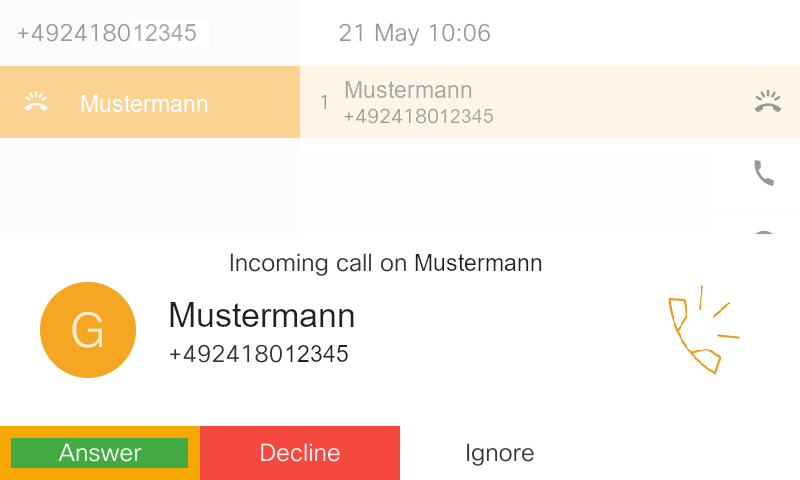
If you are in a pickup group with one or more colleagues, you will receive a visual and audible notification that a colleague is receiving a call:
To take an incoming call, proceed as follows:
Step 1
Select one of the three options for answering the call:
- Pick up the phone receiver.
- Press the speaker button (13) to switch the call to the speaker.
- Press the headset button (18) to answer the call via your headset.
Step 2
After that, the call window will open and you should click on the button with 3 dots.
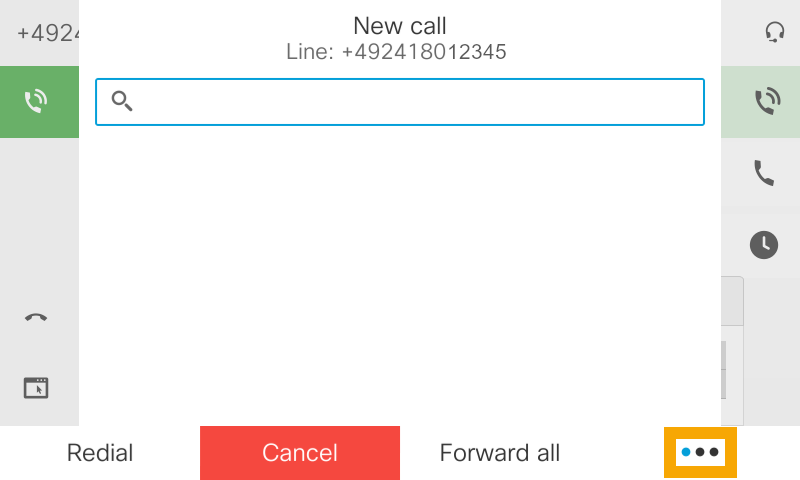
Step 3
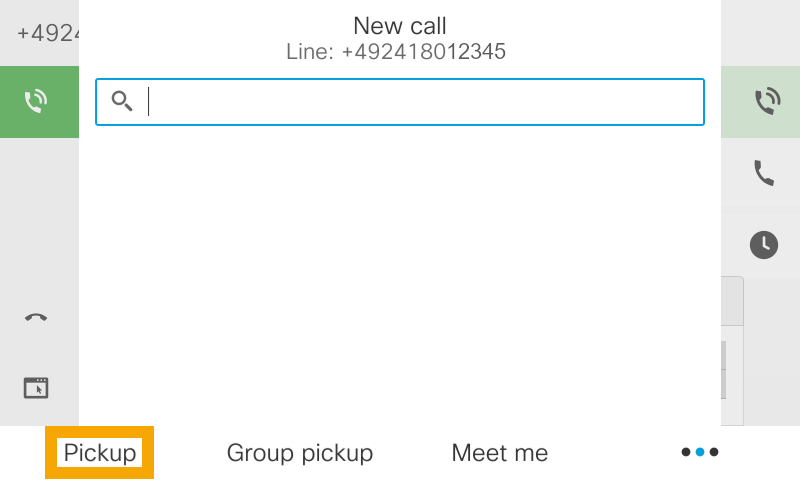
Additional call options will be displayed, including “PickUp”.
Press the soft key under “PickUp.”
Step 4
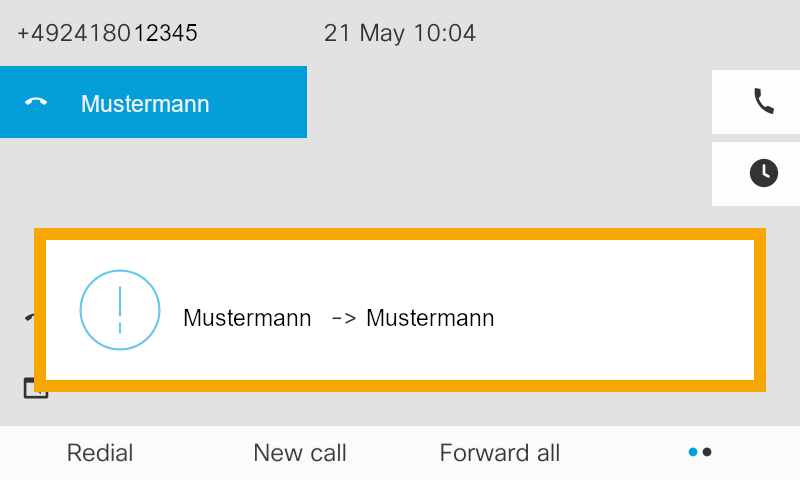
The call will be forwarded to you and you can accept it.
In addition, the display will show who called whom and from whom you are taking the call.
If you do not want to accept the call or have slipped away, simply click on Ignore.
The call will then be returned to your colleague.