Setting up Forwarding on the Phone (Voicebox)

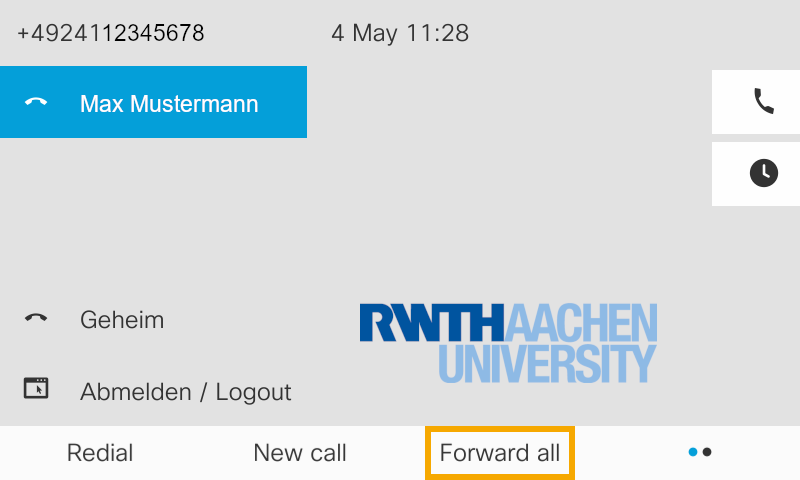
In order to activate call forwarding on your phone, proceed as follows:
Step 1
Press the softkey below "forward all" .
Step 2
Afterwards you will get to the dialing field where you can enter the destination number.
Press the voicebox button (5), to forward to voicemail
This sets up the forwarding to the voicemail.
Step 3
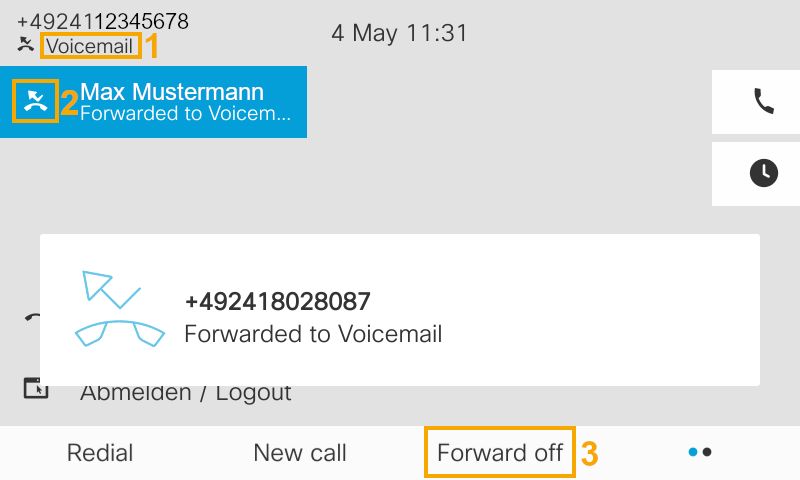
You can check whether your calls are being forwarded in the following way:
- Thevoicemail (1) field shows the destination of the forwarding.
- Directly in front of the name of your line there is also the call forwarding symbol (2).
Call forwarding can be deactivated again by pressing the call forwarding off button (3).