Invitation to a Conference

The CISCO Meeting Server (CMS) allows video and audio conferences using RWTH systems.
These meetings can be joined using a phone, SIP-Services, or a web browser.
To send an invitation for a conference call, follow these steps:
Step 1
Open the conference portal.
Step 2
Click on the envelope icon to send the invitation to conference participants by email.

Step 3
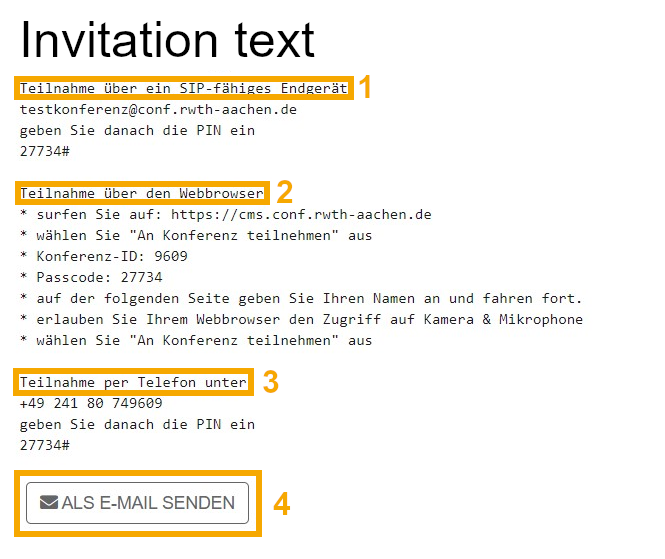
The invitation then looks as follows and can be sent by clicking on Send as e-mail button (4).
The email will contain three access options:
1. SIP end device via the SIP URI (1)
2. access via a web browser (2)
3. dial-in via telephone (3)