Find HPC account username

This page describes how ou can retrieve your HPC account username if you didn’t write down your during registration or have forgotten it.
This manual requires that you either have an existing HPC account or are currently in the process of setting up your HPC account.
To retrieve your HPC account username, please folloow the steps below.
Step 1
If you are already logged into the RWTH RegApp, proceed directly to Step 2. Otherwise, follow the manual Login RWTH RegApp.
Step 2
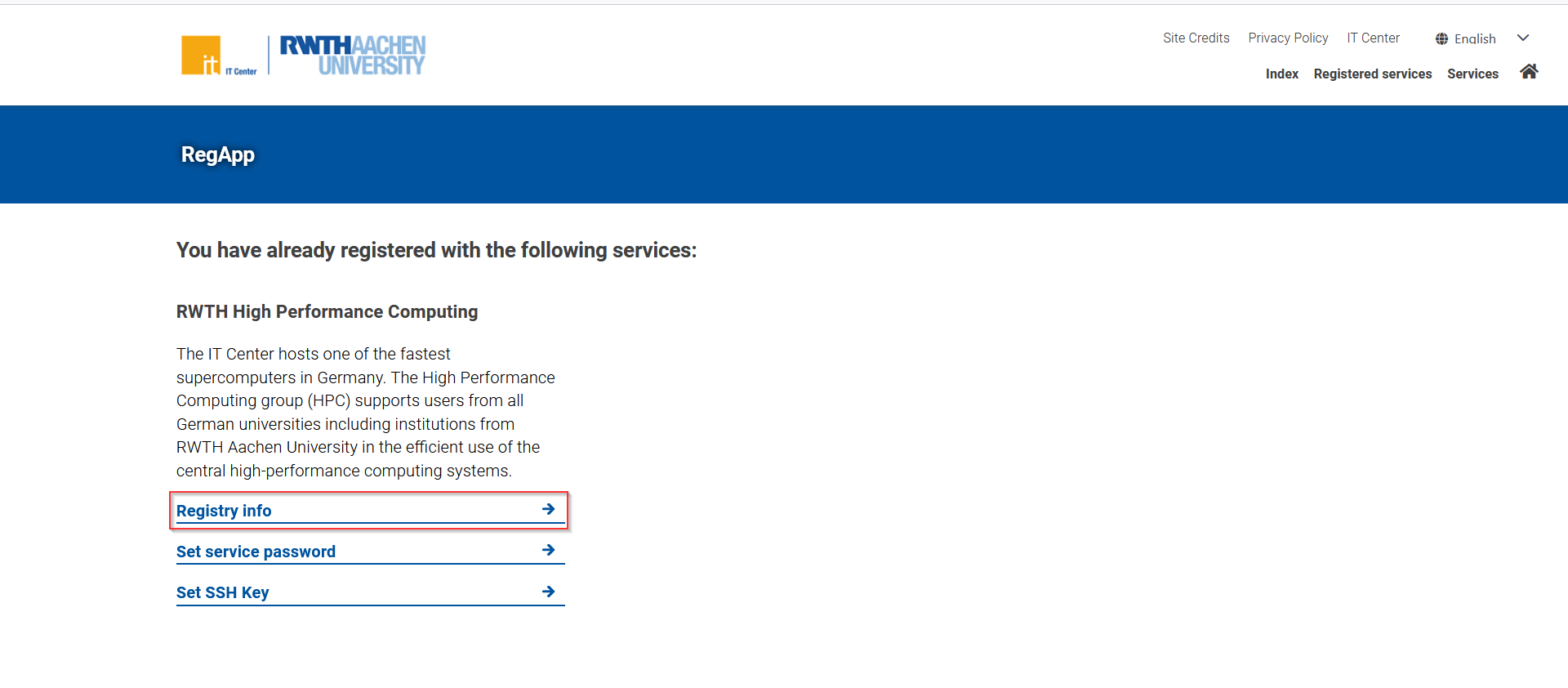
On the RWTH RegApp dashboard click on the "Registry info" button as highlighted in the screenshot.
Step 3
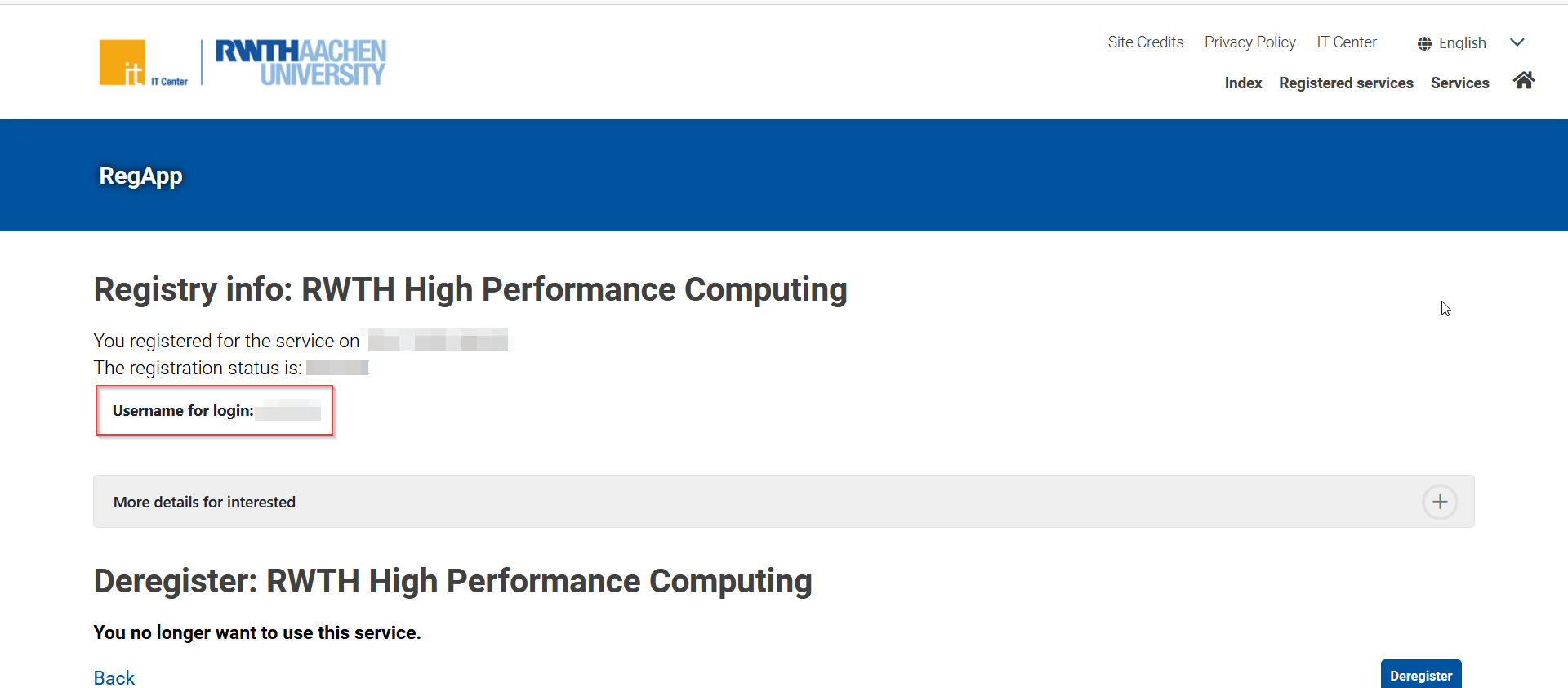
On the Registry Info page, locate your registration details. Here, you'll find your HPC account username needed for login.