


Changing settings of JupyterLab Profiles

This page describes how you can change settings of the pre-installed profiles in JupyterLab.
The initial view of a JupyterLab Profile does not show any customizable settings. The JupyterLab is configured by default to use pre-defined settings suitable for the Profile.
Click Show/Hide in the Default Settings section to show the partition, runtime duration and number of cores used as defaults.
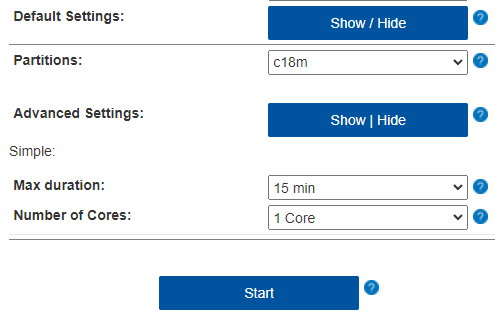
Click Show/Hide in the Advanced Settings section to show more customization options that will be used for the JupyterLab Slurm job.
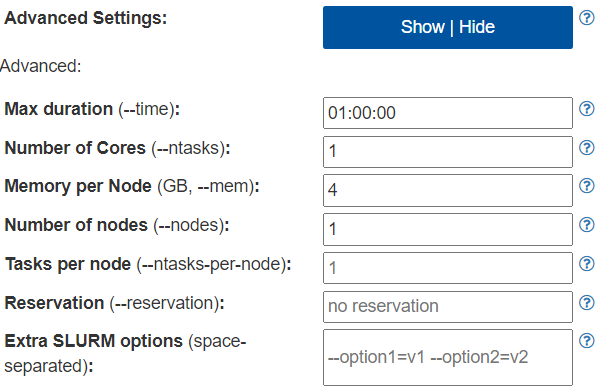
For more information on what each setting does, we recommend reading the Slurm documentation (wird in neuem Tab geöffnet) for more details.
