


Check Eduroam Authorization

This page explains how to check whether you are authorized to use eduroam.
eduroam authorized users
The following groups can use eduroam:
- Members of RWTH and Uniklinik:
- Members of institutions that are part of the eduroam project (opens in new tab)
You can check whether you have authorization to use the service in five steps:
Step 1
Open the IdM Selfservice (opens in new tab).
Step 2
Log in with RWTH Single Sign-On.
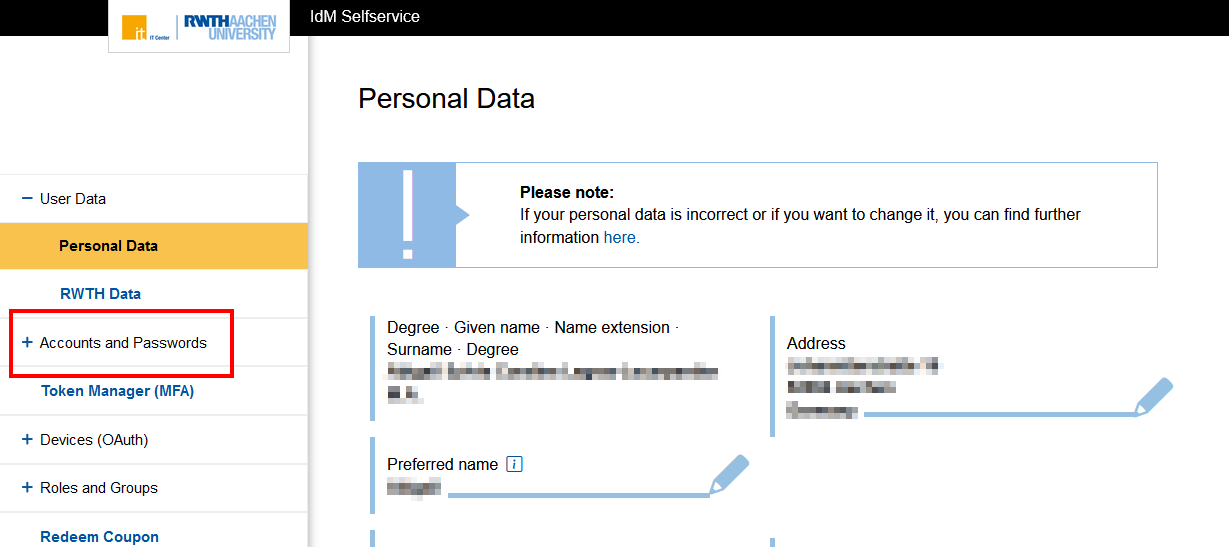
Step 3
Click Accounts and Passwords.
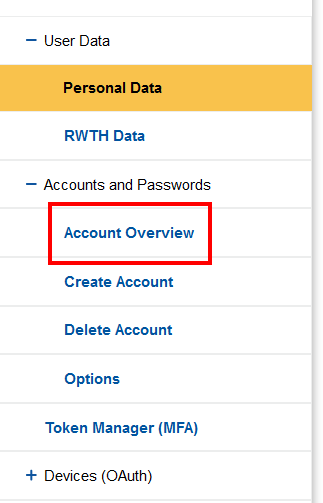
Step 4
Click Account Overview.
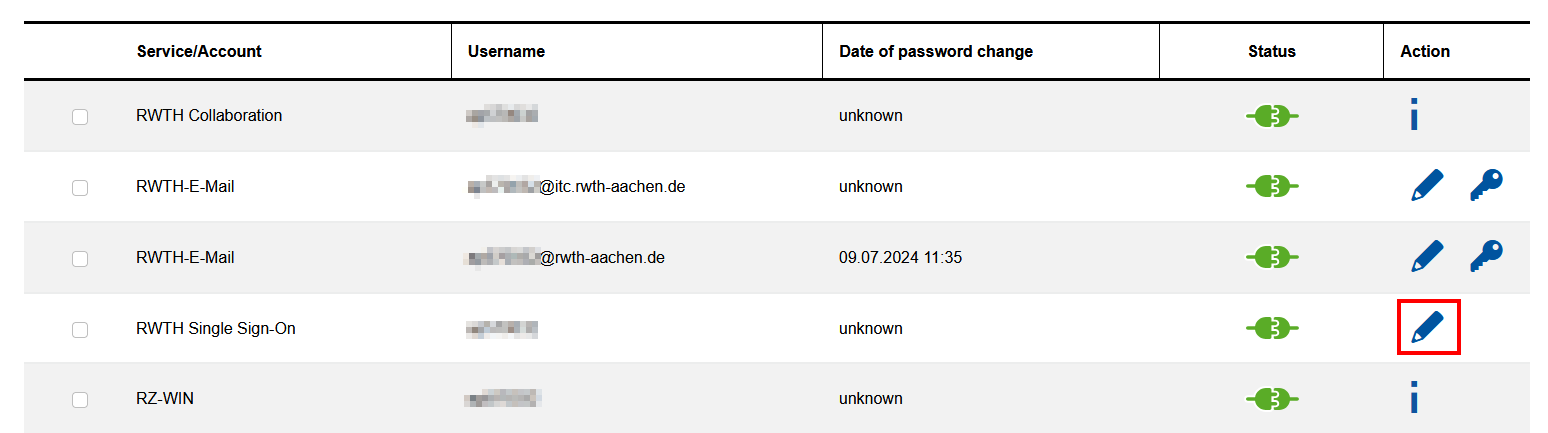
Step 5
Locate the account RWTH Single Sign-On and click the pencil in the column Action.
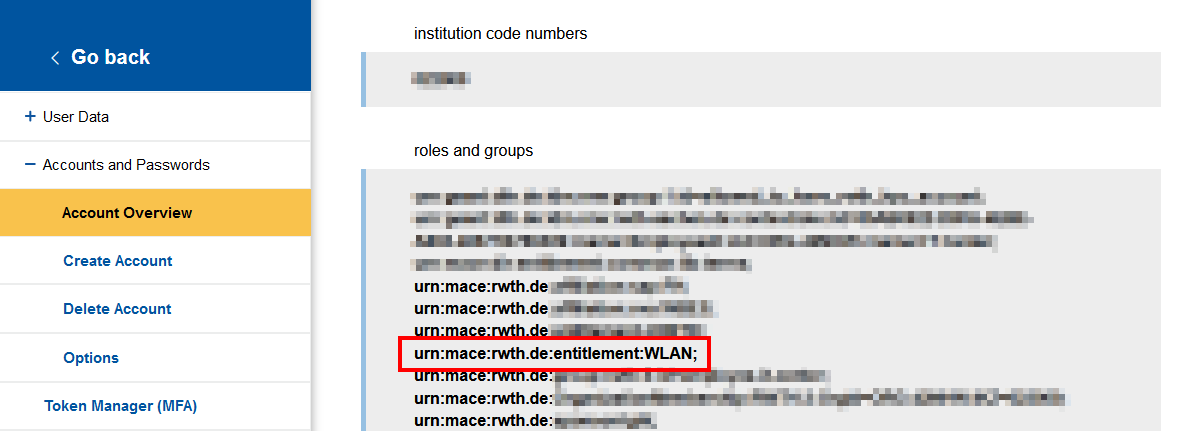
Step 6
Under Roles and Groups, look for the value urn:mace:rwth.de:entitlement:WLAN.
Tip:
Copy the value from the text. Go to the IdM SelfService and press CTRL+F on your keyboard to open the search bar. Paste the value into the search field.
If the value:
- is present, you can use eduroam.
- is missing, you cannot use eduroam.
If in doubt, contact our IT-ServiceDesk
