


Guests - RWTH-guests with login credentials

This page describes how to use your guest login credentials to connect your device to RWTH-guests.

This guide is divided into 2 parts:
Accessing RWTH-guests
Note: Login credentials for the RWTH-guests network are only valid for a maximum of 3 months.
Step 1
Turn on the WiFi on your device.
Step 2
Select RWTH-guests from the list of available networks.
Step 3
You will be automatically redirected to the RWTH-guests homepage (opens in new tab).
Step 4
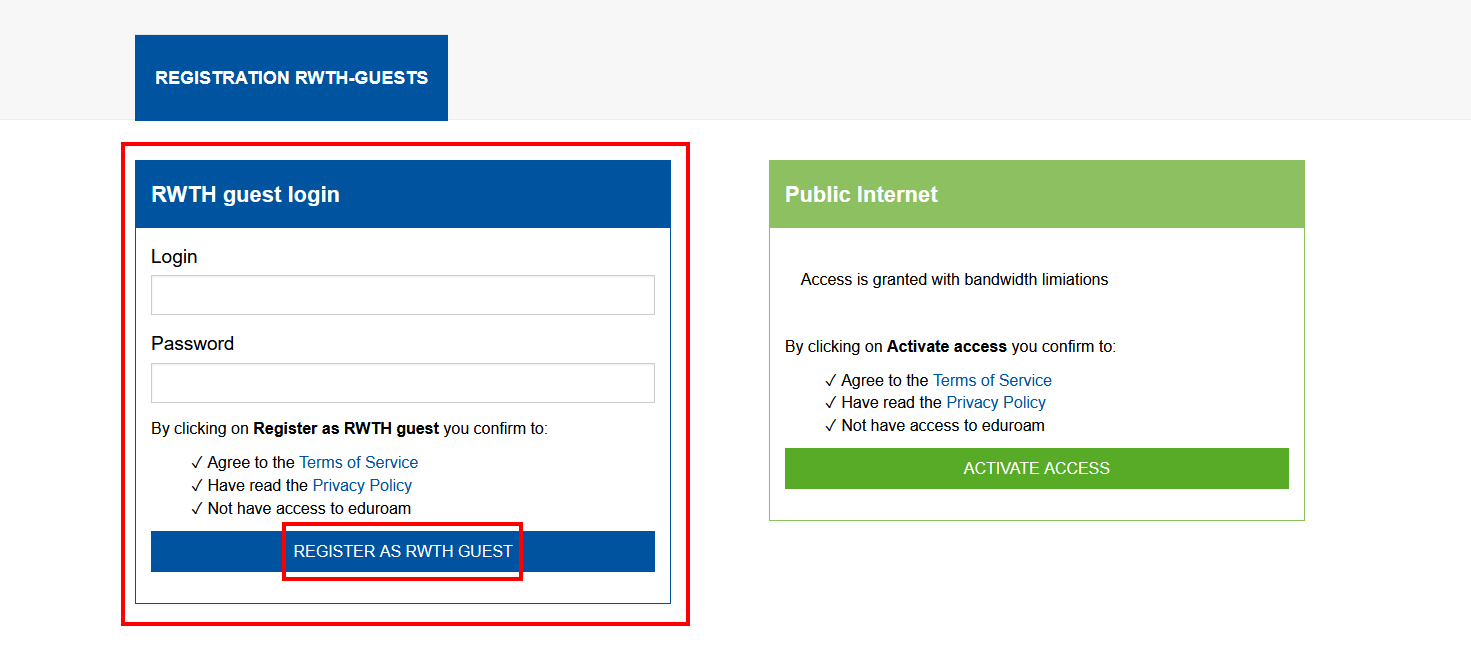
Under RWTH guest login, please read the Terms of Service (opens in new tab) and the Privacy Policy (opens in new tab) carefully.
Step 5
Enter the username and password provided by your host.
Step 6
Click Register as RWTH Guest.
Your device is now connected to RWTH-guests.
Technical Information
- Your external IP is within 137.226.39.241/29
- Your private IP is within 172.27.0.0/16
Additional information:
Help: Is RWTH-guests down? (opens in new tab)
