Start and Join a Meeting (Host)

On this page, you'll learn how to join a Webex meeting from your computer or mobile device, and how to allow participants to join the meeting as a host.
Join a Webex meeting
To join a Webex meeting, proceed as follows:
Step 1
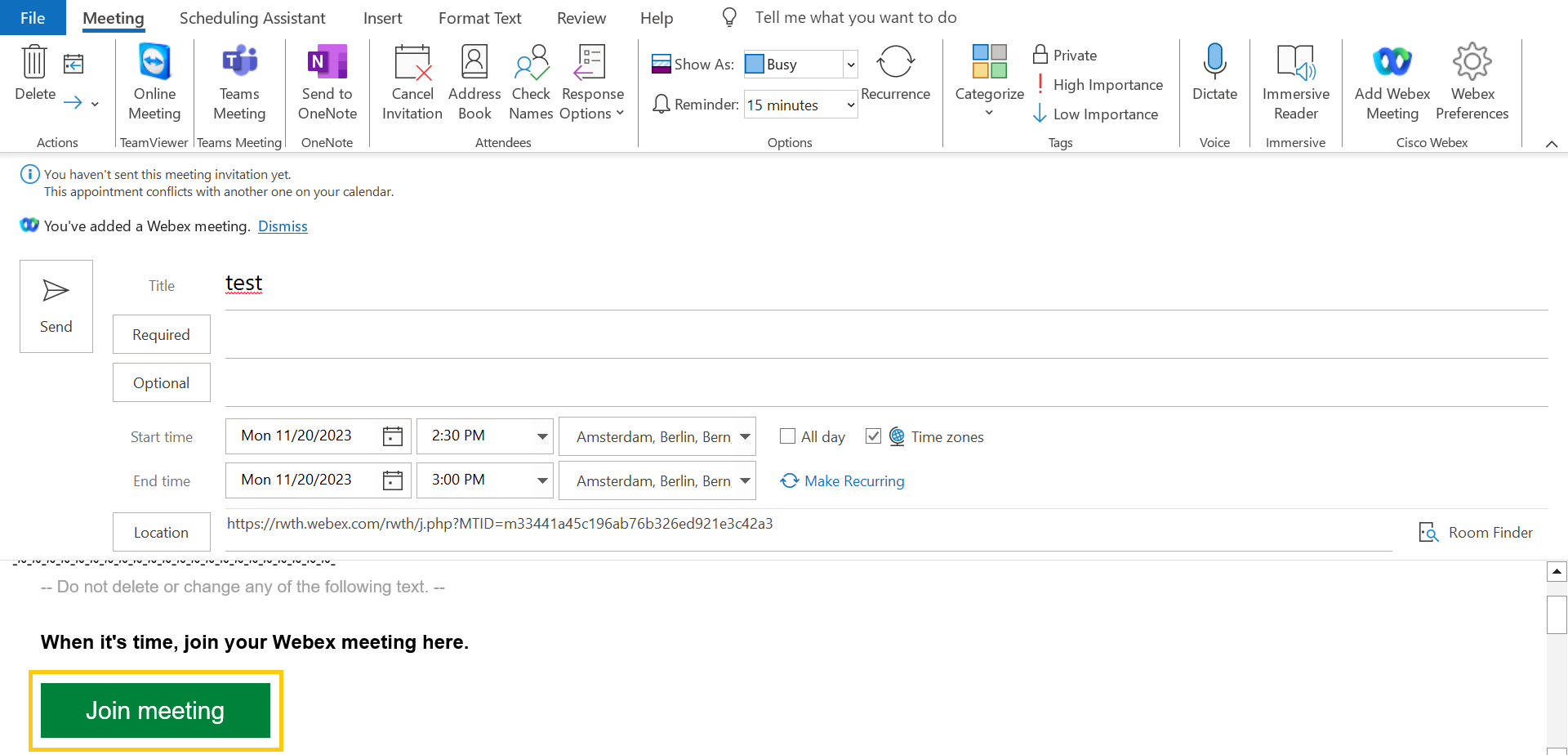
Click on Join meeting in the appointment.
Step 2
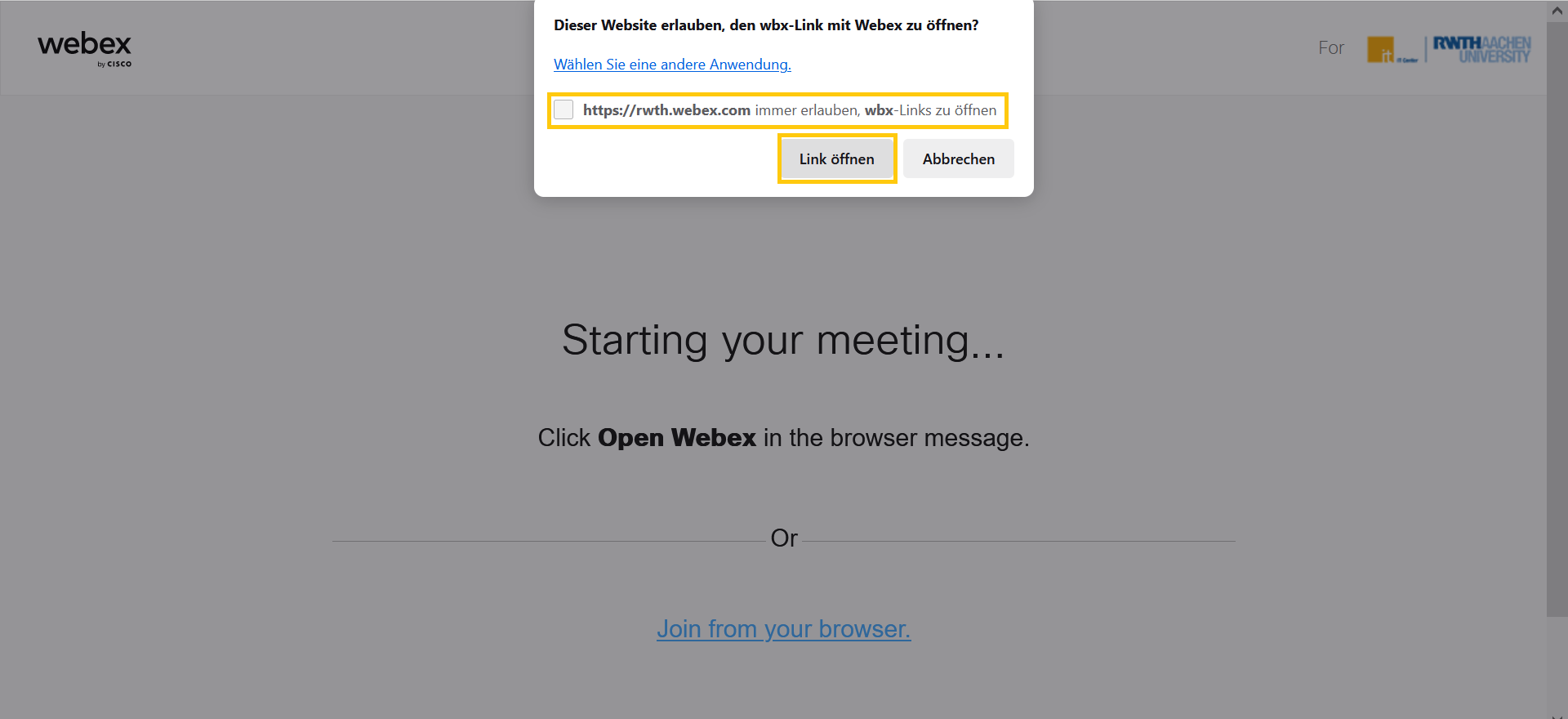
Click Open (Link Öffnen) in the pop-up window.
Step 3
Click Start meeting in the next window.
You can make youraudio and video settings before starting the meeting.

Let participants into a meeting
As the host, you can admit participants to a meeting.
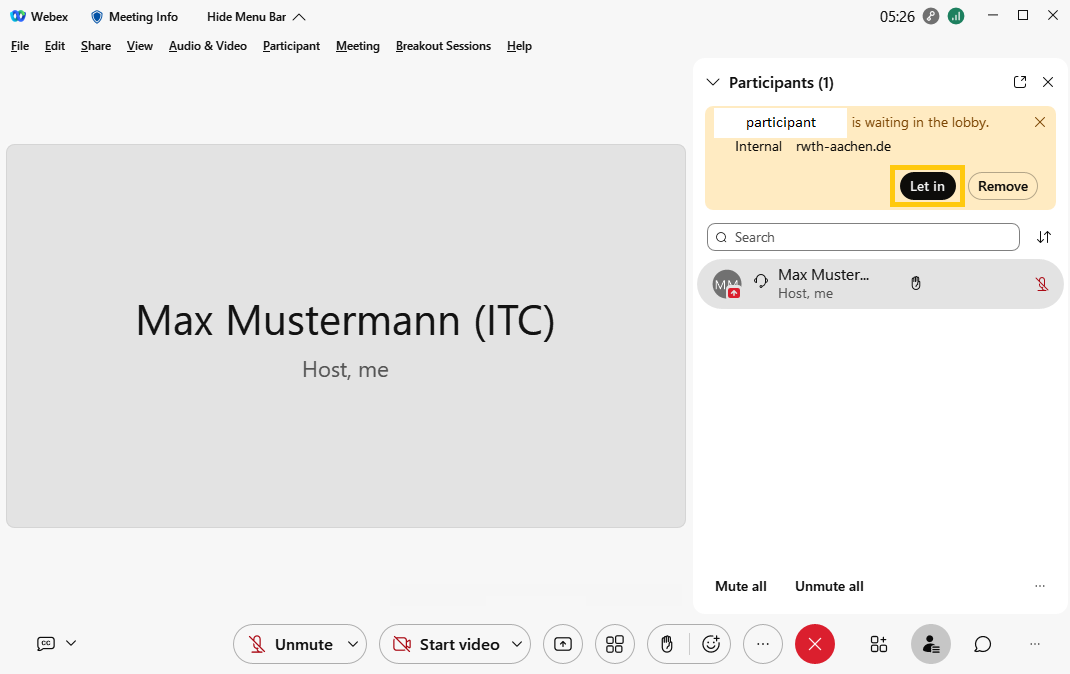
The person icon at the bottom right of the meeting window indicates that participants are waiting in the lobby.
Click Let in in the top right corner of the window to allow participants to enter the meeting.
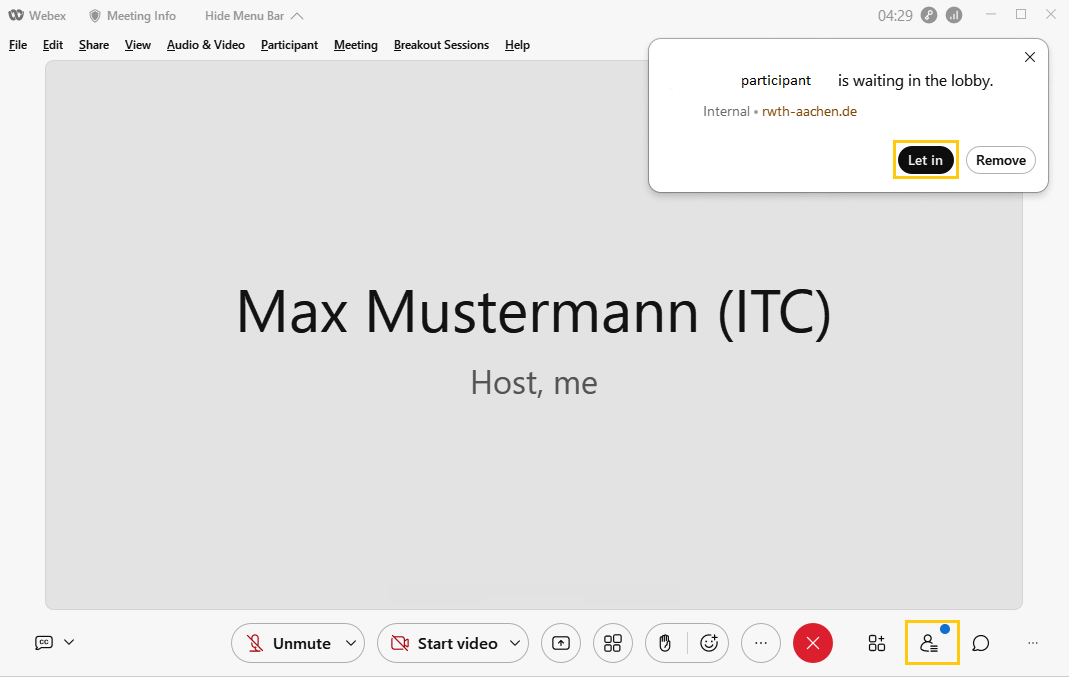
Alternatively, the host can open the list of participants and let them in .
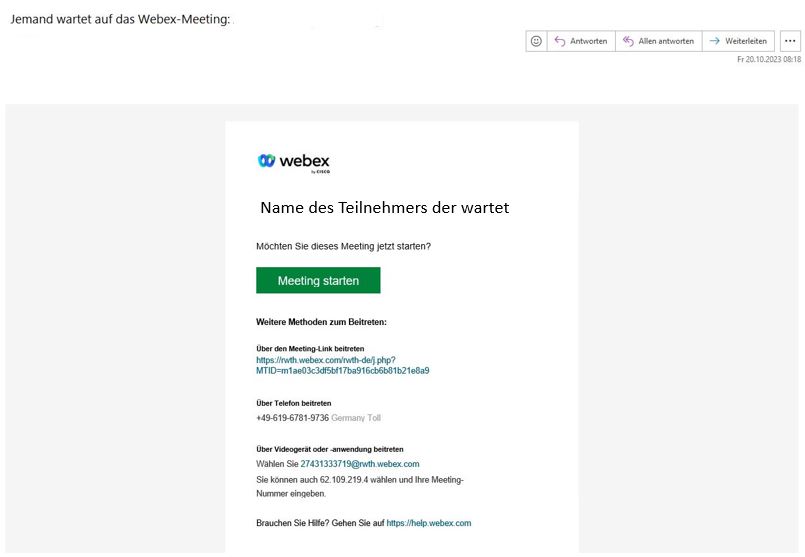
The host also receives an e-mail that a participant is waiting in the lobby of the meeting.
Leave or end a meeting
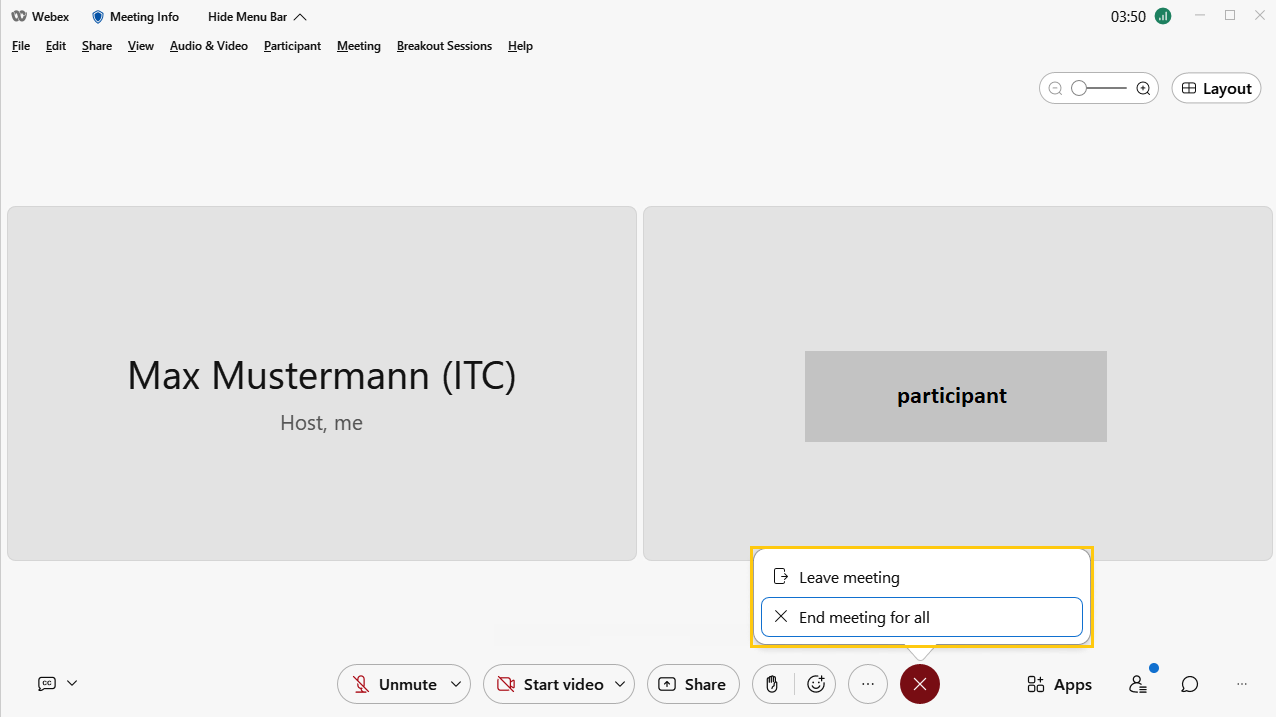
The host can leave meeting or end it for all participants .