


Private Meetings

On this page, you'll learn how to plan meetings that meet the highest security standards.
Meetings with the highest security standards are open only to authorized individuals.
If you want to plan meetings with the highest level of security, there are various options available to you:
Private Meetings
For particularly secure meetings, you can set up a Private Meeting. This type of meeting is restricted to individuals registered at RWTH.
To participate in such a meeting, attendees must use the Webex app and be connected to the RWTH data network or via VPN. This ensures that your media data does not leave the RWTH data network during the meeting.
If you want to create a Webex meeting of the type private meeting proceed as follows:
Step 1
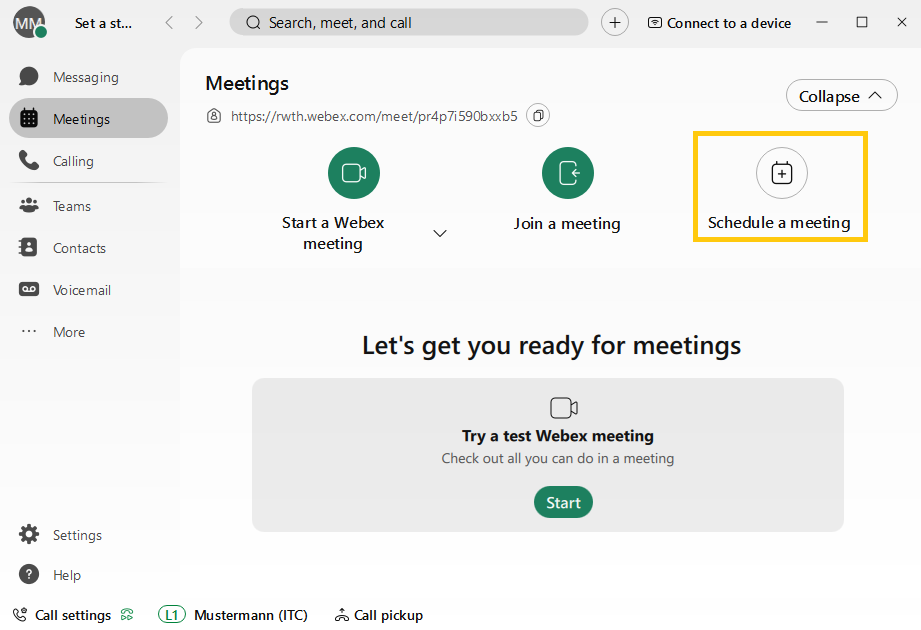
In the Webex application, select the Meetings tab on the left-hand side of the screen, then Schedule meeting.
Step 2
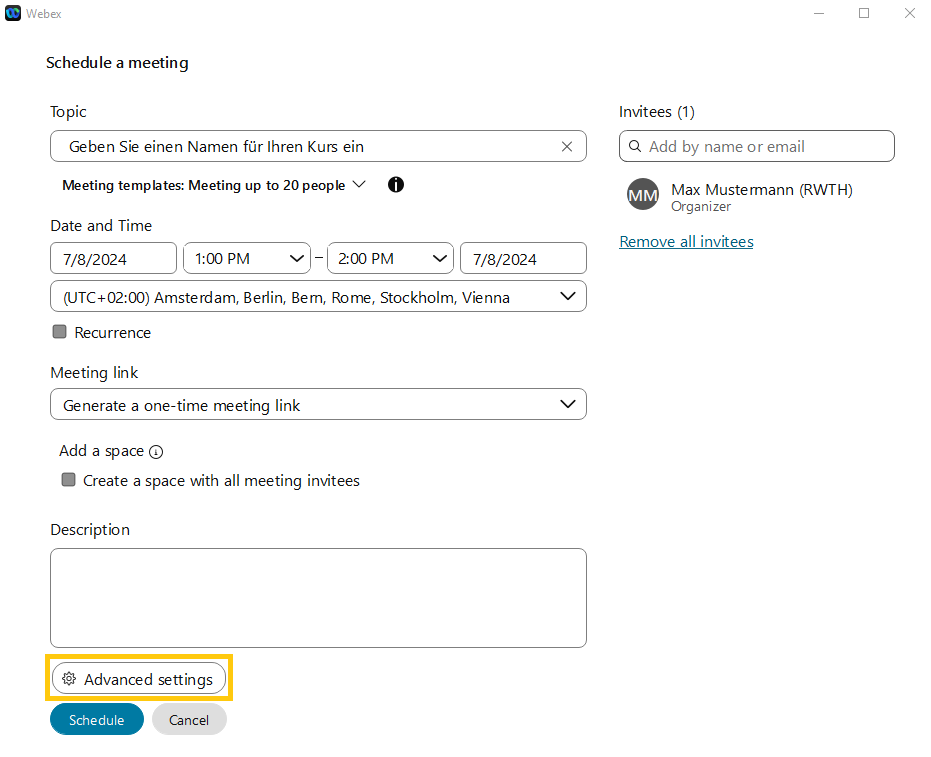
Click on Advanced settings.
Step 3
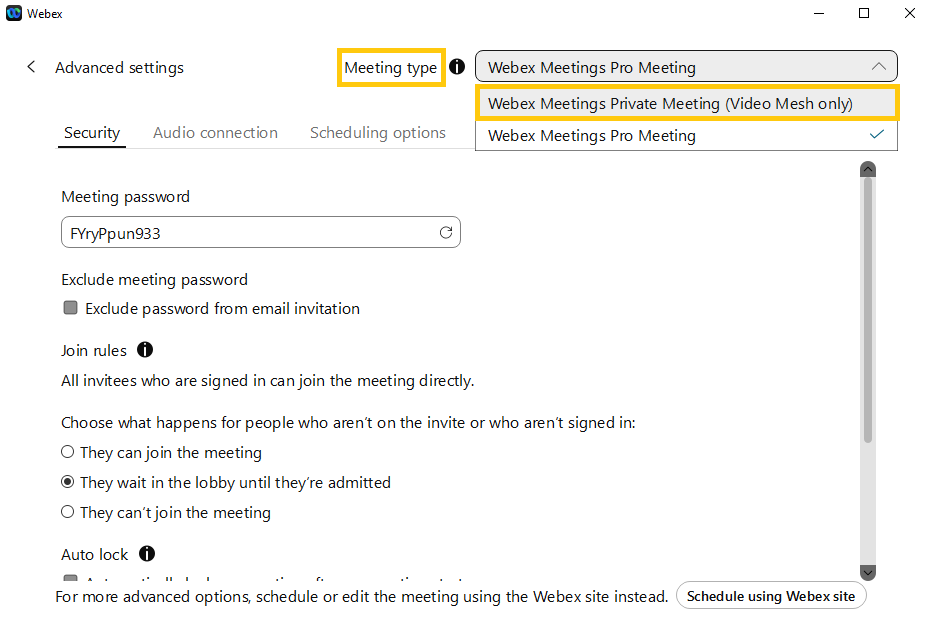
You should now be able to select the Meeting type at the top right of the screen. Please select Webex Meetings Private Meeting (Video Mesh only) here.
Standard Meetings
In standard meetings, your media data is transmitted over the Webex Cloud using end-to-end encryption.
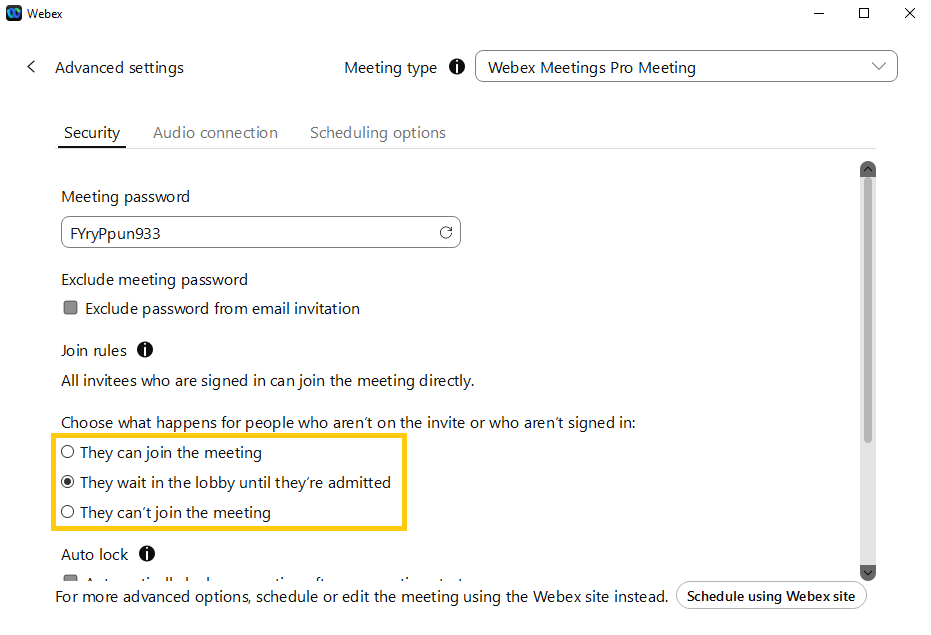
When scheduling a Standard Meeting, you can specify how to handle people who are not on the original invitation list:
- These people may join the meeting directly.
- These people must wait in a waiting lobby until you manually admit them to the meeting.
- Access is completely denied to people who were not originally invited.
Additional information:
Related content
