


Private Meetings

By taking the following measures, you can ensure that your meetings meet the highest security standards and that only authorized individuals can participate.
If you want to plan meetings with the highest level of security, there are various options available to you:
Private Meetings
For particularly secure meetings, you can set up a "Private Meeting." This type of meeting is restricted to individuals registered at RWTH. To participate in such a meeting, attendees must use the Webex app and be connected to the RWTH data network or via VPN. This ensures that your media data does not leave the RWTH data network during the meeting.
If you want to create a Webex meeting of the type "private meeting" proceed as follows:
Step 1
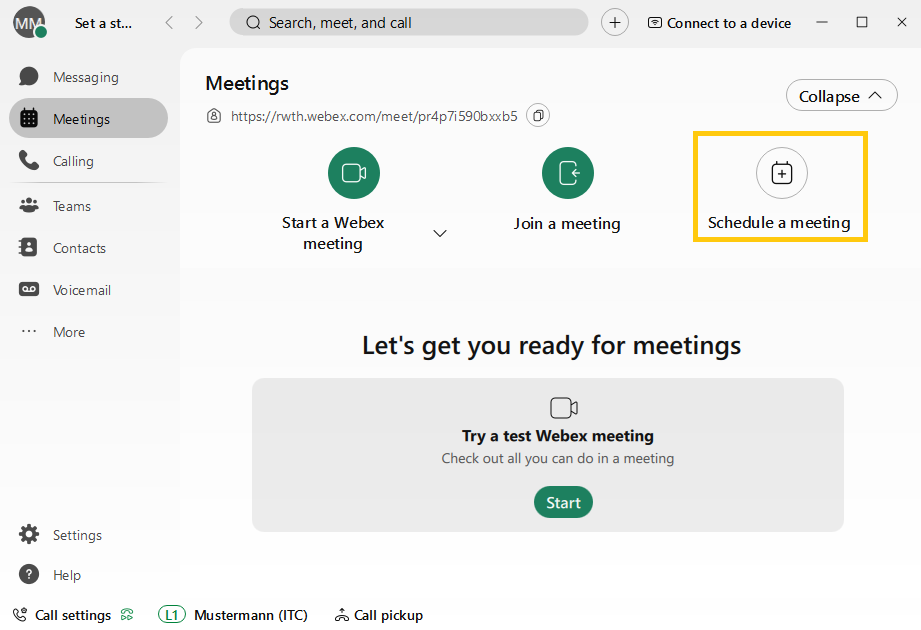
In the Webex application, select the "Meetings" tab on the left-hand side of the screen, then Schedule meeting.
Step 2
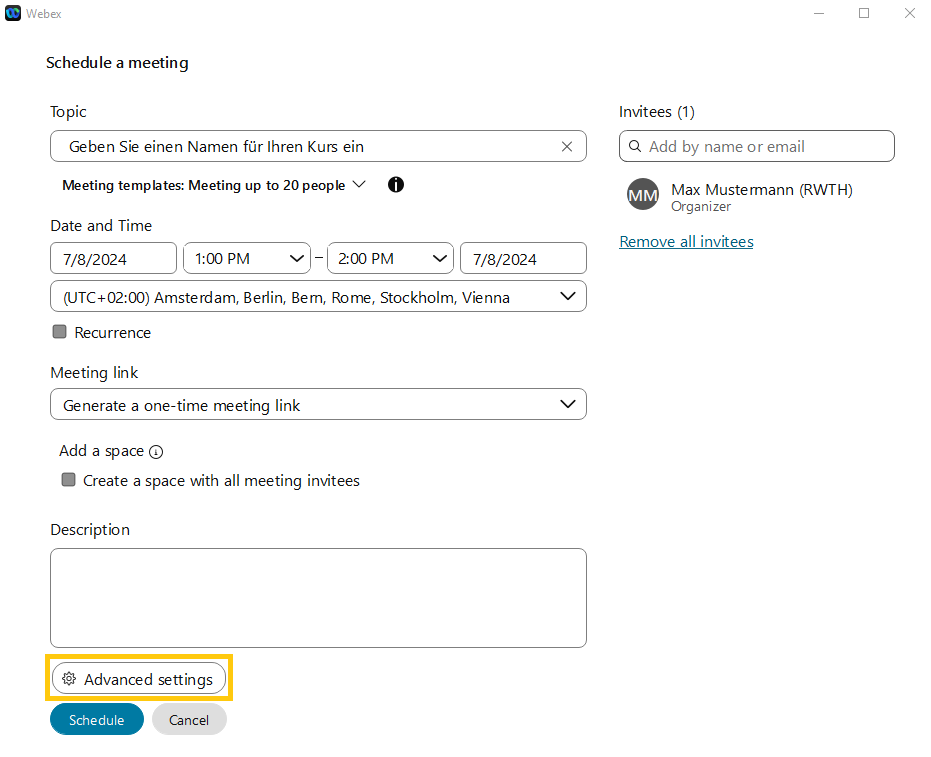
Click on Advanced settings.
Step 3
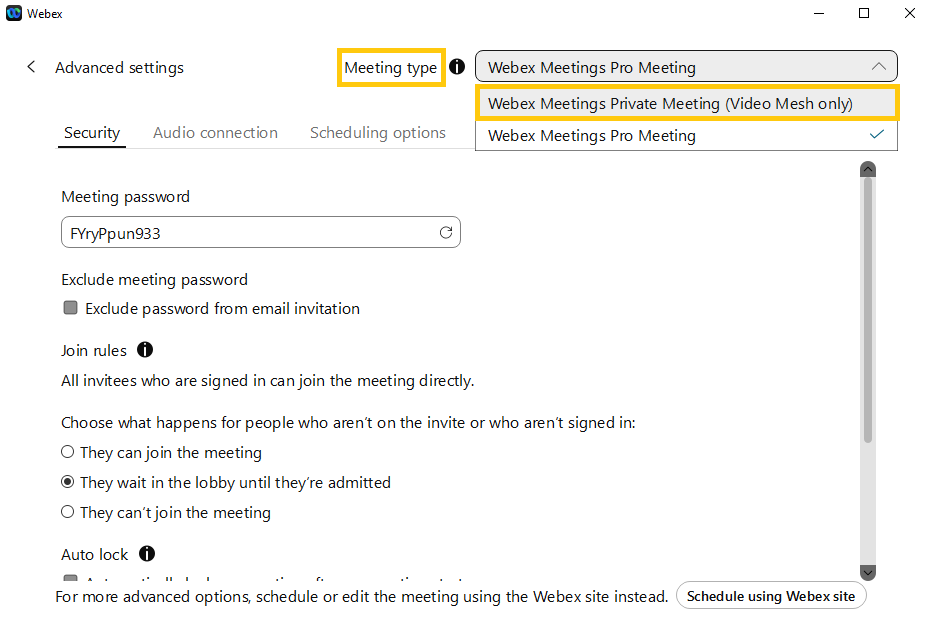
You should now be able to select the "Meeting type" at the top right of the screen. Please select "Webex Meetings Private Meeting (Video Mesh only)" here.
Standard Meetings
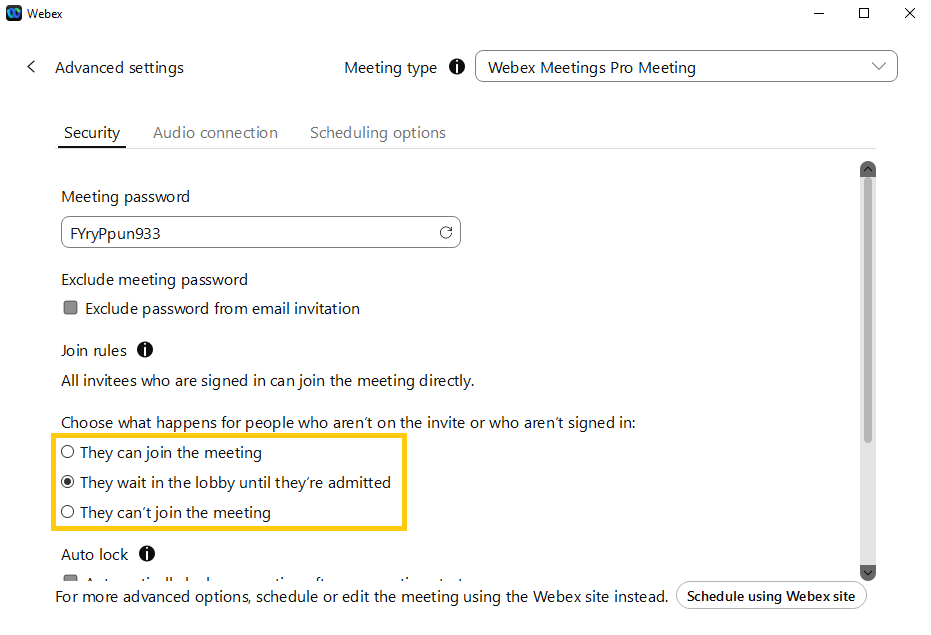
In standard meetings, your media data is end-to-end encrypted and transmitted through the Webex Cloud. When planning such a meeting, you have the option to adjust various settings to enhance security. You can determine whether individuals not on your invitation list can join the meeting directly. Alternatively, you can set it up so that these individuals first wait in a lobby until you manually admit them to the meeting. Another option is to completely deny access to uninvited individuals.
Additional information:
Related content
