RWTHapp on F-Droid

On this page, you can learn how to install RWTHapp via F-Droid.
F-Droid is an alternative to the Google Play Store. Much like the Play Store, F-Droid provides regular updates and verifies the authenticity of its apps.
Step 1
Download F-Droid from F-Droids-website. It will handle its own updates automatically from then on.
Step 2
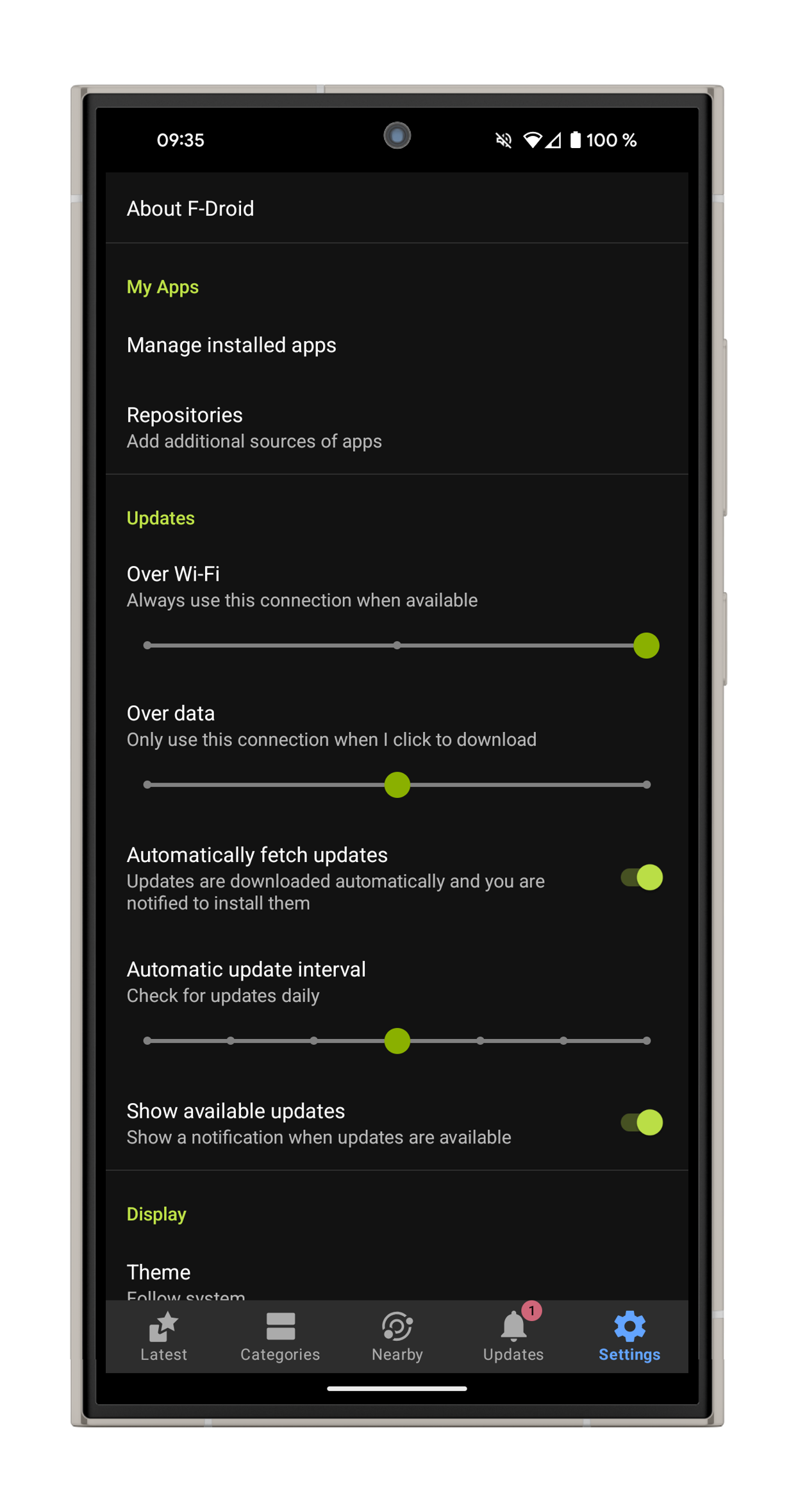
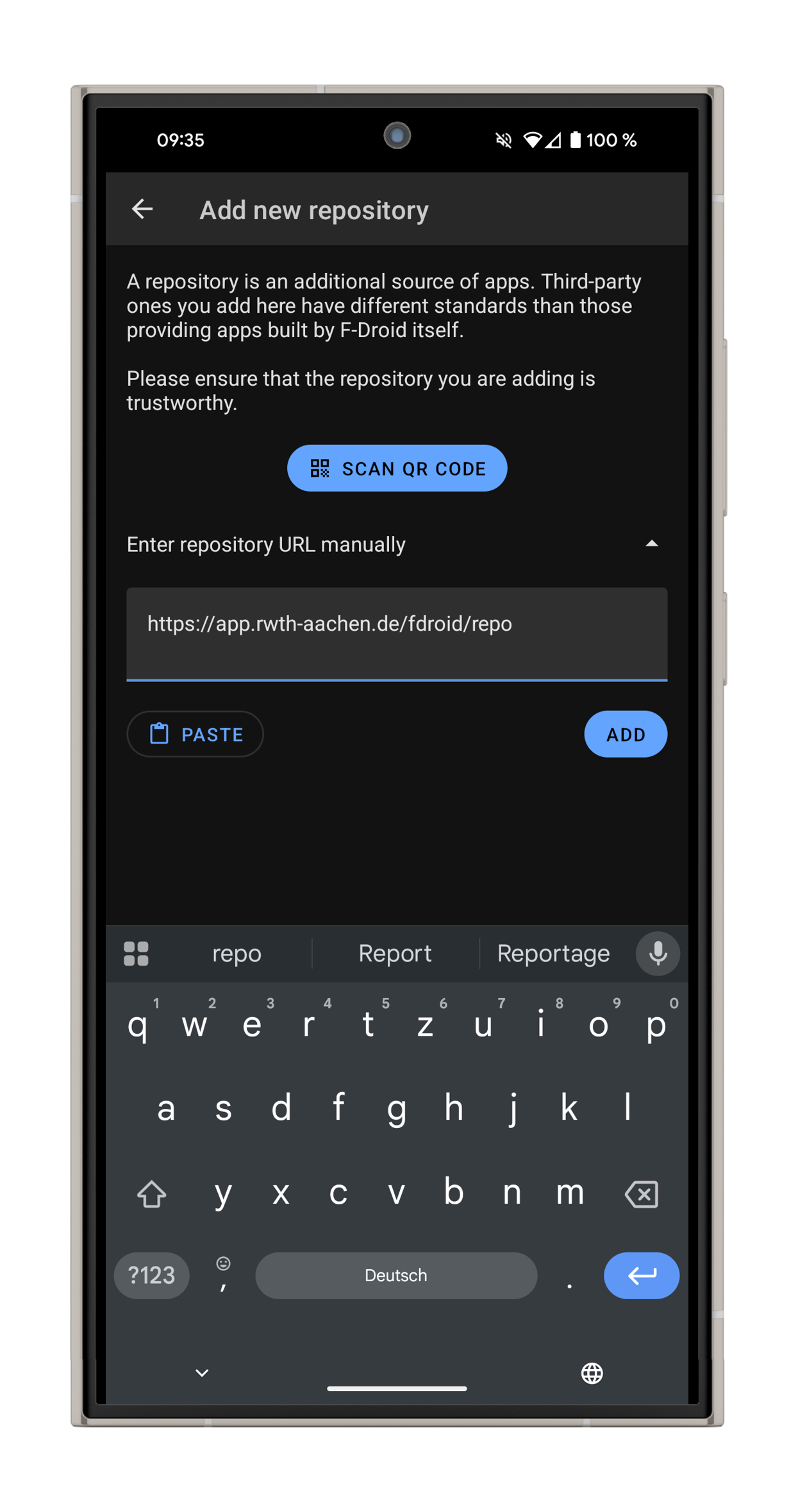
To find the RWTHapp on F-Droid, add a new repository. Enter https://app.rwth-aachen.de/fdroid/repo.
Step 3
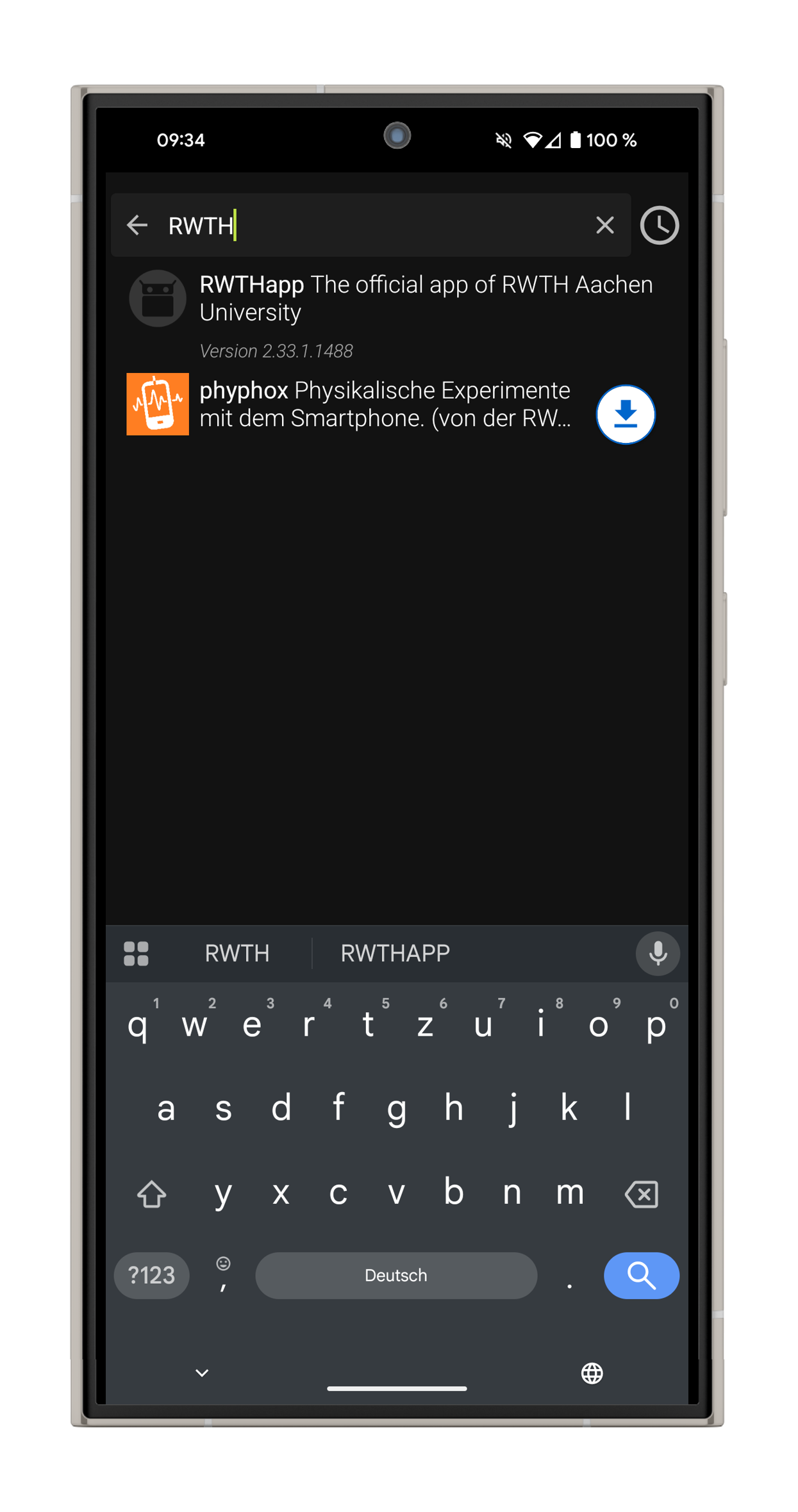
After refreshing the repository you can find and download the RWTHapp under available apps.