Global Settings

This page explains how to change the global delivery settings in Mailman
Global delivery settings apply to every list unless you set up or address- or list-specific settings.
Step 1
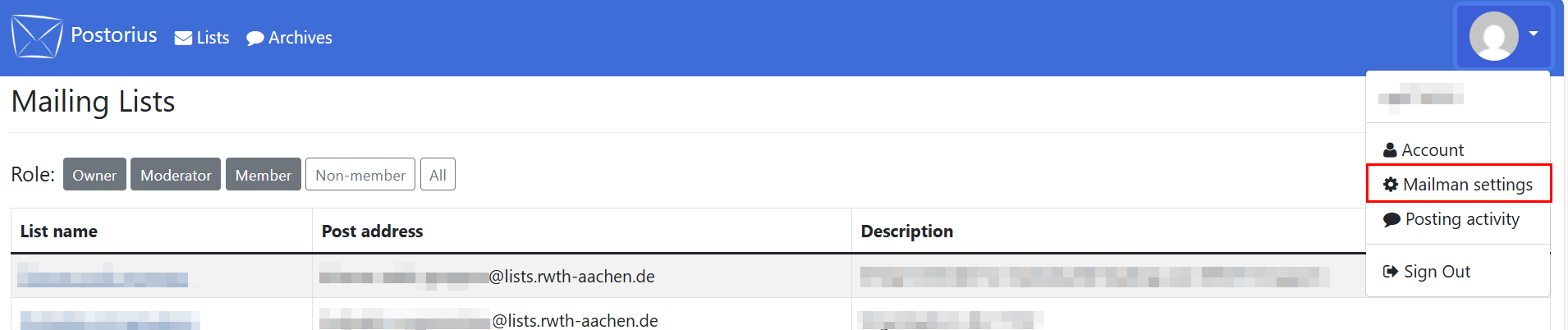
Click on your profile picture and select Mailman settings in the drop-down menu.
Step 2
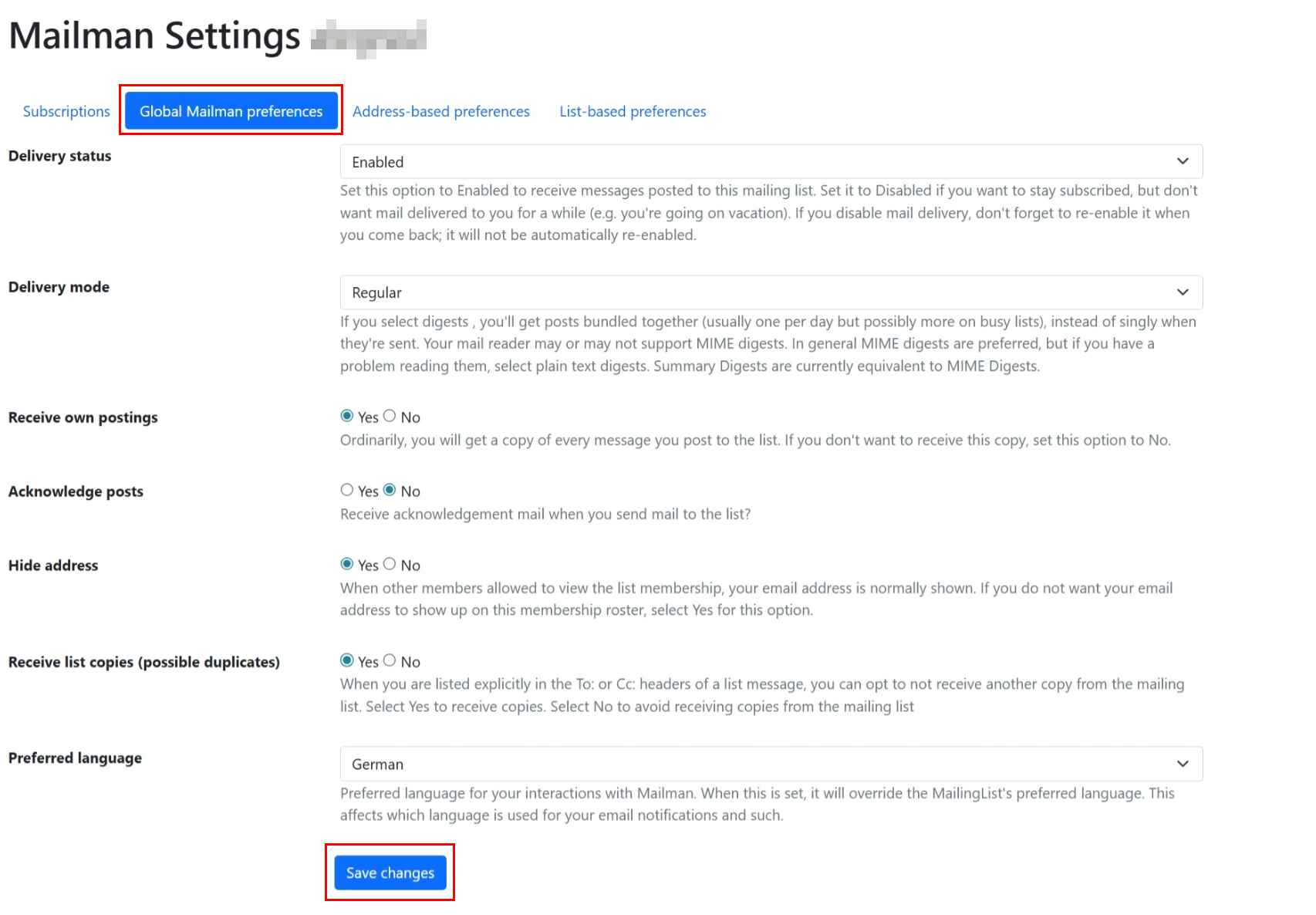
Click Global Mailman Preferences.
Step 3
You can change the following settings:
- Delivery status: Change this setting if you would like to stay subscribed to your lists, but not receive any messages (e.g. when you are on vacation).
- Delivery mode: You can choose whether to receive the messages bundled together or one by one.
- Receive own postings: If you send a message to a list, you can select whether you will receive a copy of it.
- Acknowledge posts: Select whether you would like to receive a confirmation email when you send a message to a list.
- Hide address: Select whether other subscriber can see your email address.
- Receive list copies: Choose whether you get a copy of the message when someone entered your email address in addition to a list address.
- Preferred language
Step 4
Click Save changes.