Global Settings

This page explains how to change the global delivery settings in Mailman (opens in new tab)
Global delivery settings apply to every list unless you set up or address- or list-specific settings.
Step 1
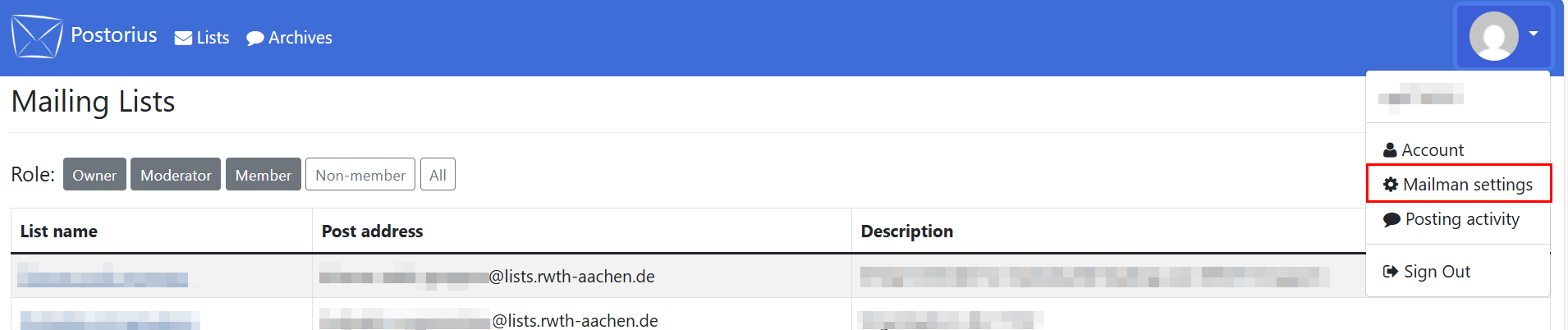
Click on your profile picture and select Mailman settings in the drop-down menu.
Step 2
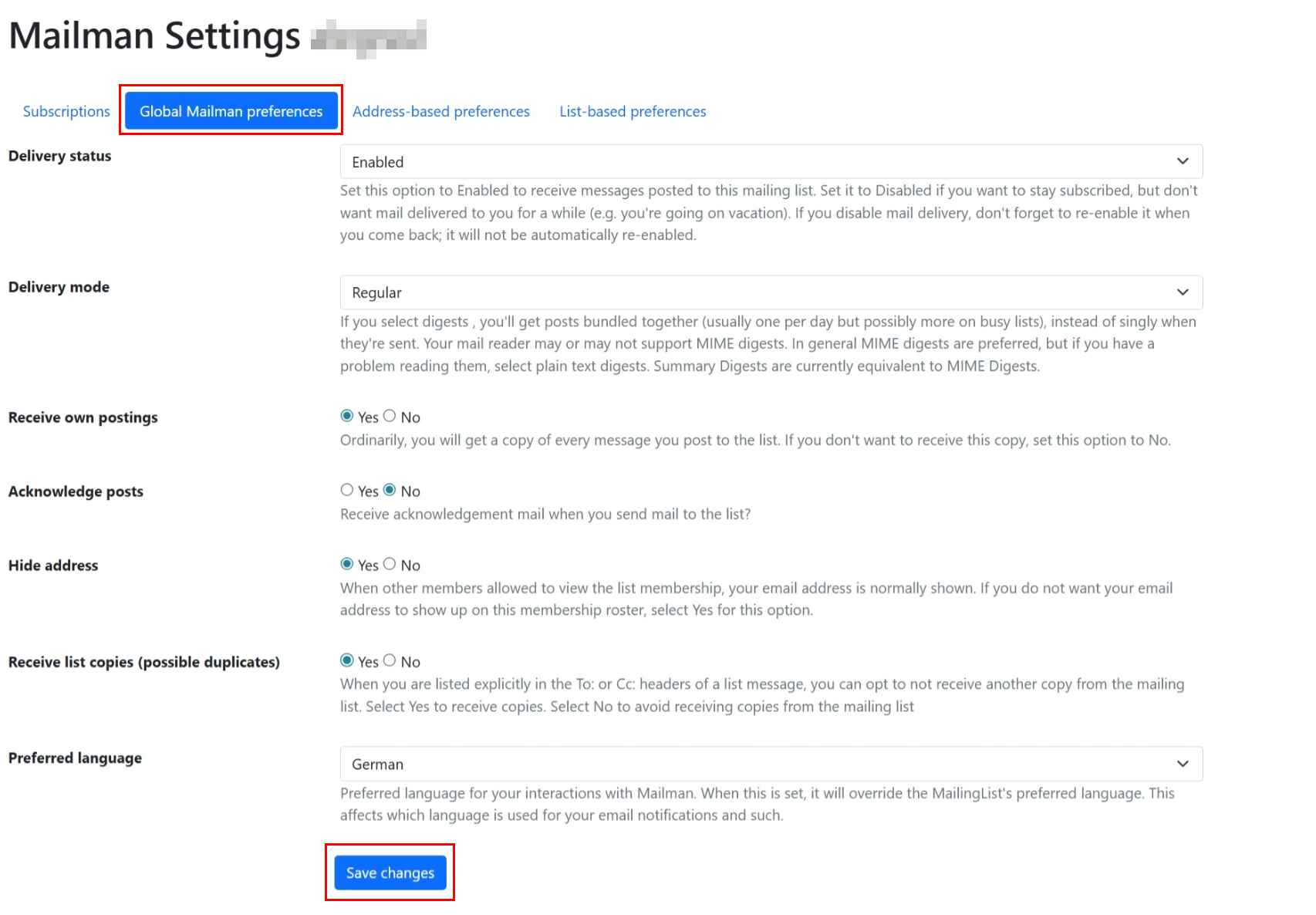
Click Global Mailman Preferences.
Step 3
You can change the following settings:
- Delivery status: Change this setting if you would like to stay subscribed to your lists, but not receive any messages (e.g. when you are on vacation).
- Delivery mode: You can choose whether to receive the messages bundled together or one by one.
- Receive own postings: If you send a message to a list, you can select whether you will receive a copy of it.
- Acknowledge posts: Select whether you would like to receive a confirmation email when you send a message to a list.
- Hide address: Select whether other subscriber can see your email address.
- Receive list copies: Choose whether you get a copy of the message when someone entered your email address in addition to a list address.
- Preferred language
Step 4
Click Save changes.