


Delete Account

This page explains how to delete your Mailman account.

Please note
Deleting your Mailman account will automatically unsubscribe you from all your mailing lists!
Step 1
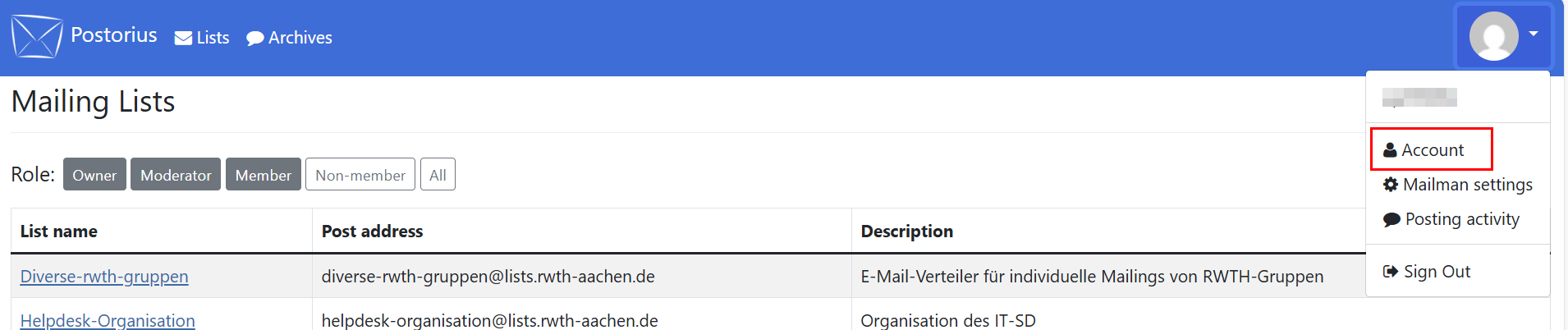
Open your account settings. Click on your profile picture in the top right-hand corner and select Account.
Step 2
Click Delete Account in the navigation
Step 3
Click on the button Delete Account.
![Screenshot of the page "User Profile for [username]", Tab "Delete Account", as described in steps 2 and 3.](https://api.app.rwth-aachen.de/v3/sabio/Manual/File/documents%2f0962a984657bb2e901657bc9e2810004%2f1jifm42ljvvhw%2f89d3728daa734e75b805da828c694810%2fMailing_EN_Account_loeschen.png)
Your account is now deleted.
