


Manage subscriptions

This page explains how to manage your Mailman subscriptions.
Review subscriptions
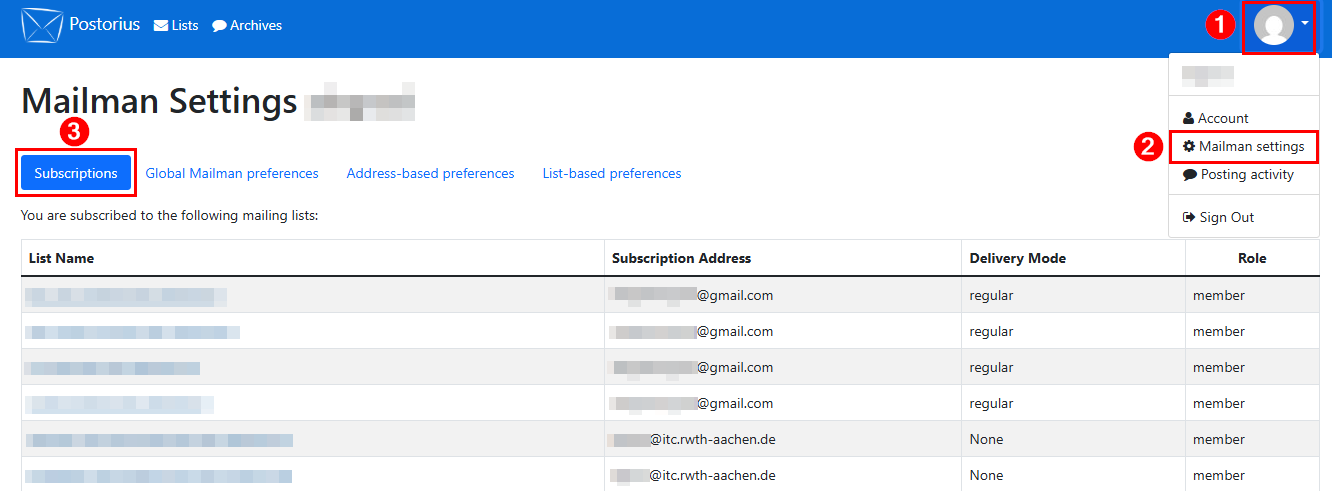
To review your subscriptions, follow these steps:
Step 1
Click on your profile picture.
Step 2
Select Mailman settings from the drop-down menu.
Step 3
Your lists are displayed in a table in the "Subscriptions" tab.
- To change the Subscription Address, change your address-based settings.
- To change the Delivery Mode, change your list-based settings,
- In the "Role" column, you can see whether you are a list member, owner or moderator.
Unsubscribe from a list
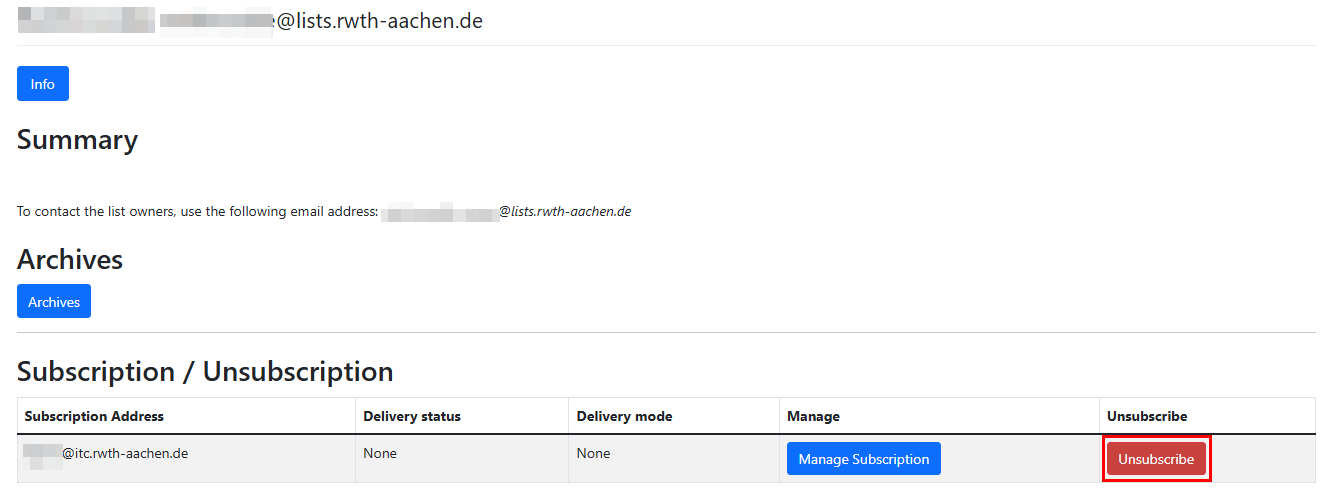
To unsubscribe from a list, click on the relevant link in the "List Name" column and click Unsubscribe.
Please note
You cannot unsubscribe from mailing lists from the role management system.
