


Initial registration in Cryptomator

On this page, you'll learn how to sign up for Cryptomator Hub.
Cryptomator Hub is currently only available to employees who have previously used Boxcryptor. You will receive your login details for Cryptomator Hub via the IT Center. The login details include your user name and a temporary password.
To complete your registration, please follow the steps below.
Step 1
Open the link https://itc.cryptomator.cloud/ (opens in new tab).
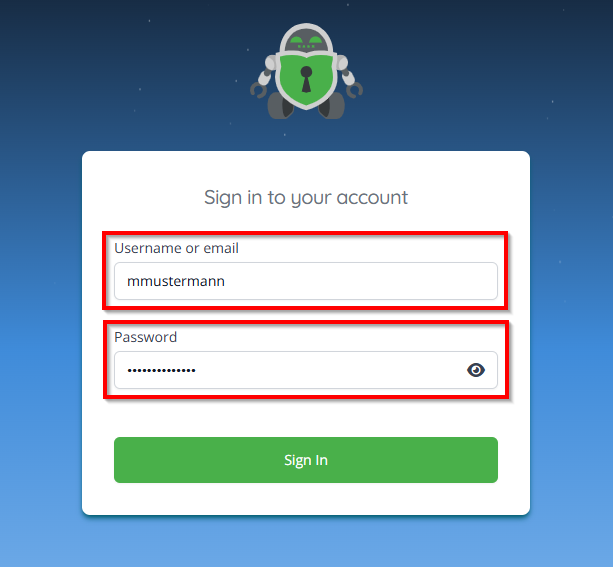
Enter your user name and the temporary password in the input mask.
Step 3
Follow the on-screen instructions.
Important: Be sure to save your Account key locally. You will need the Account key to verify yourself in other browsers or devices. Without the Account key, you can only log in in the browser you used for the initial registration.
Your Cryptomator Hub account is now set up.
