


Manage Vault

On this page, you'll learn about the options available for managing your vaults and how to use them.
As the owner of a vault, you can share a vault with other users, change the name and description, view the vault metadata, download the vault template, view the recovery key and archive the vault.
Viewing metadata
On this page, you'll learn about the options available for managing your vaults and how to use them.
The metadata shows further details of a safe. To view the metadata, proceed as follows:
Step 1
Navigate to the vault list.
Step 2
Click on an entry in the vault list.
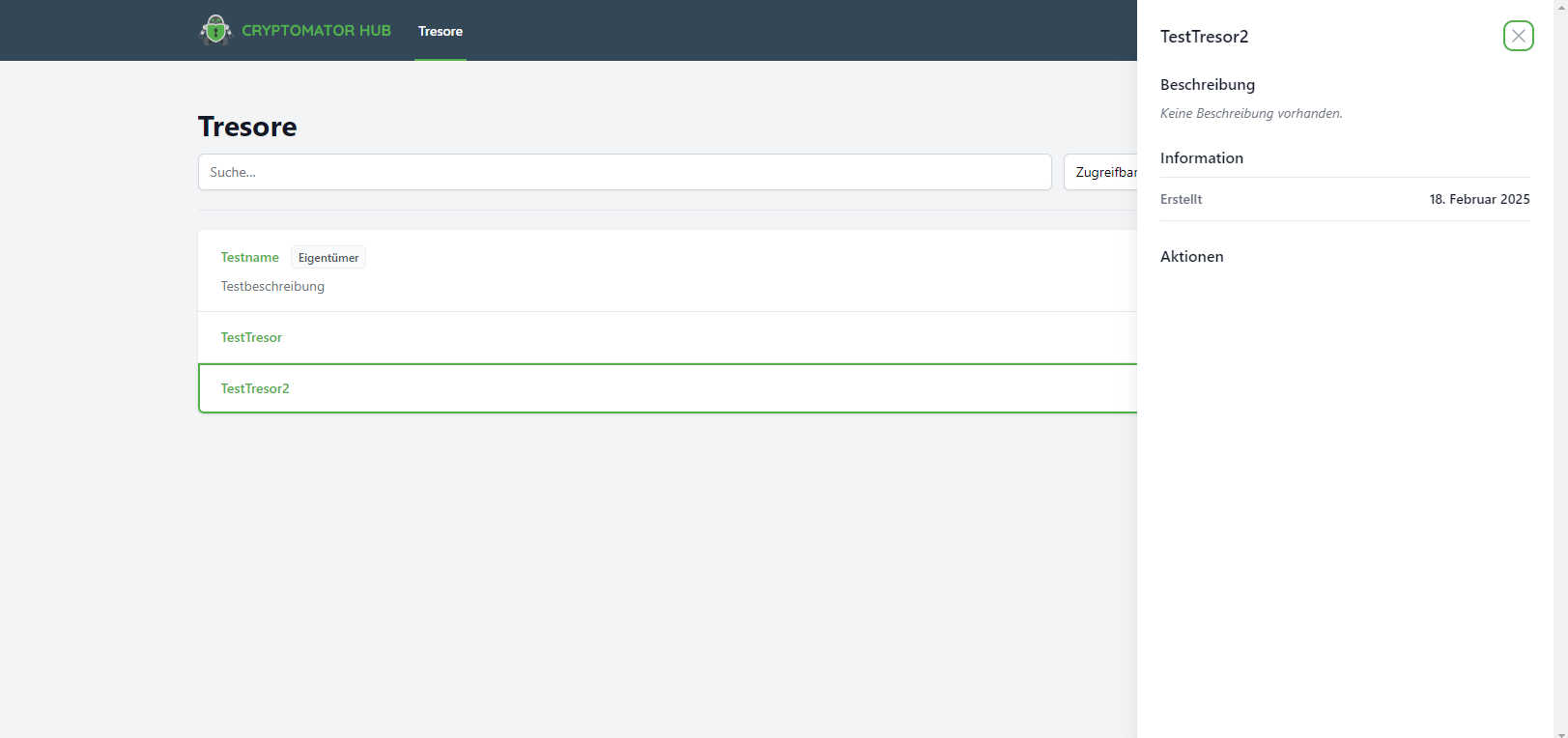
The details are displayed on the right-hand side.
For vaults shared with you, you will see the following details:
Sharing a vault
If other users need access to your vault, you can grant access to it by sharing it with other users/groups.
To share a vault, proceed as follows:
Step 1
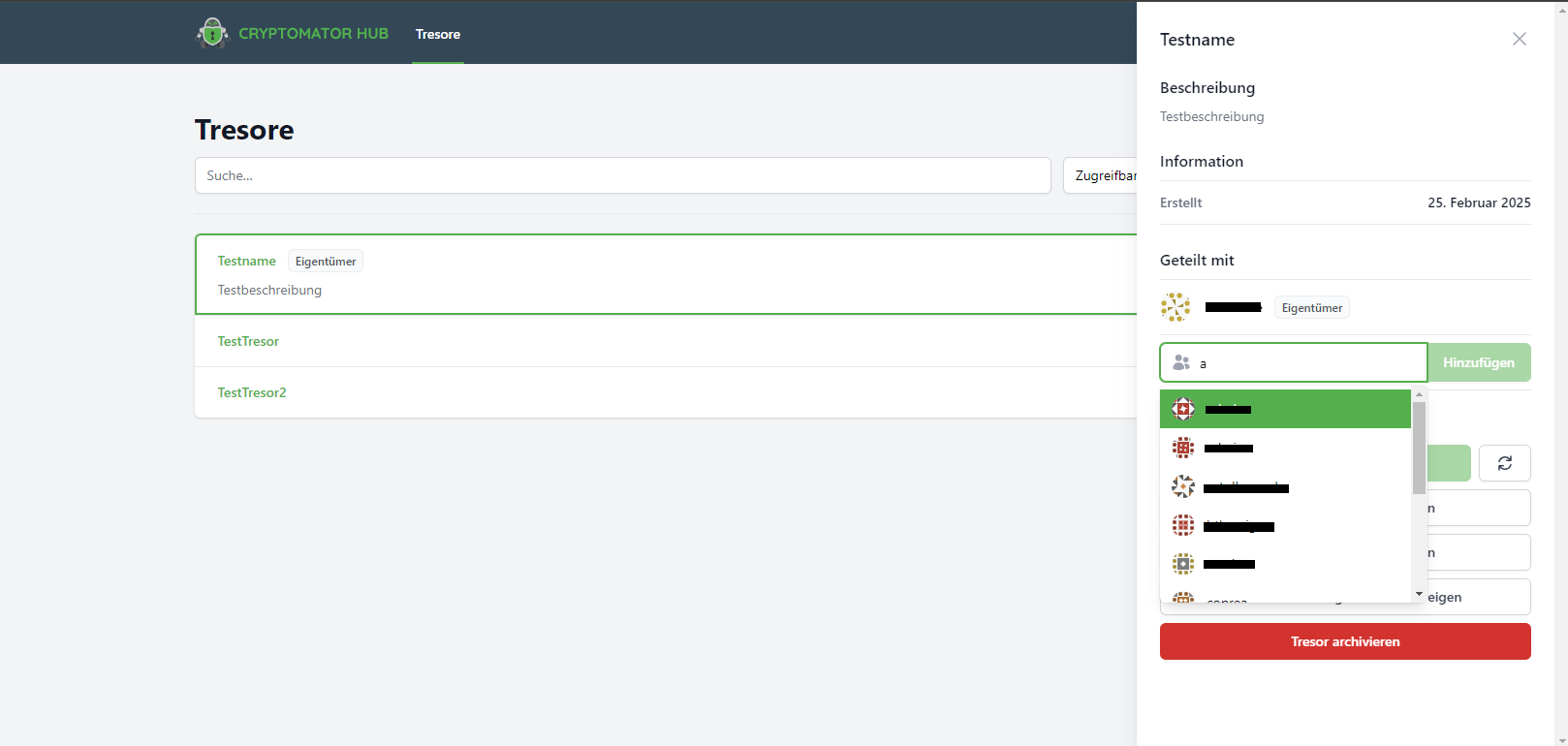
Click in the search field of the Share section.
Step 2
Search for the desired name and select the person/group from the results list.
Step 3
Then click on the Add button.
The safe is now shared with the selected person/group.
Granting owner rights
To transfer the owner rights of a vault you have created to another user, the vault must first be shared with the person.
You can then transfer the owner rights to the person:
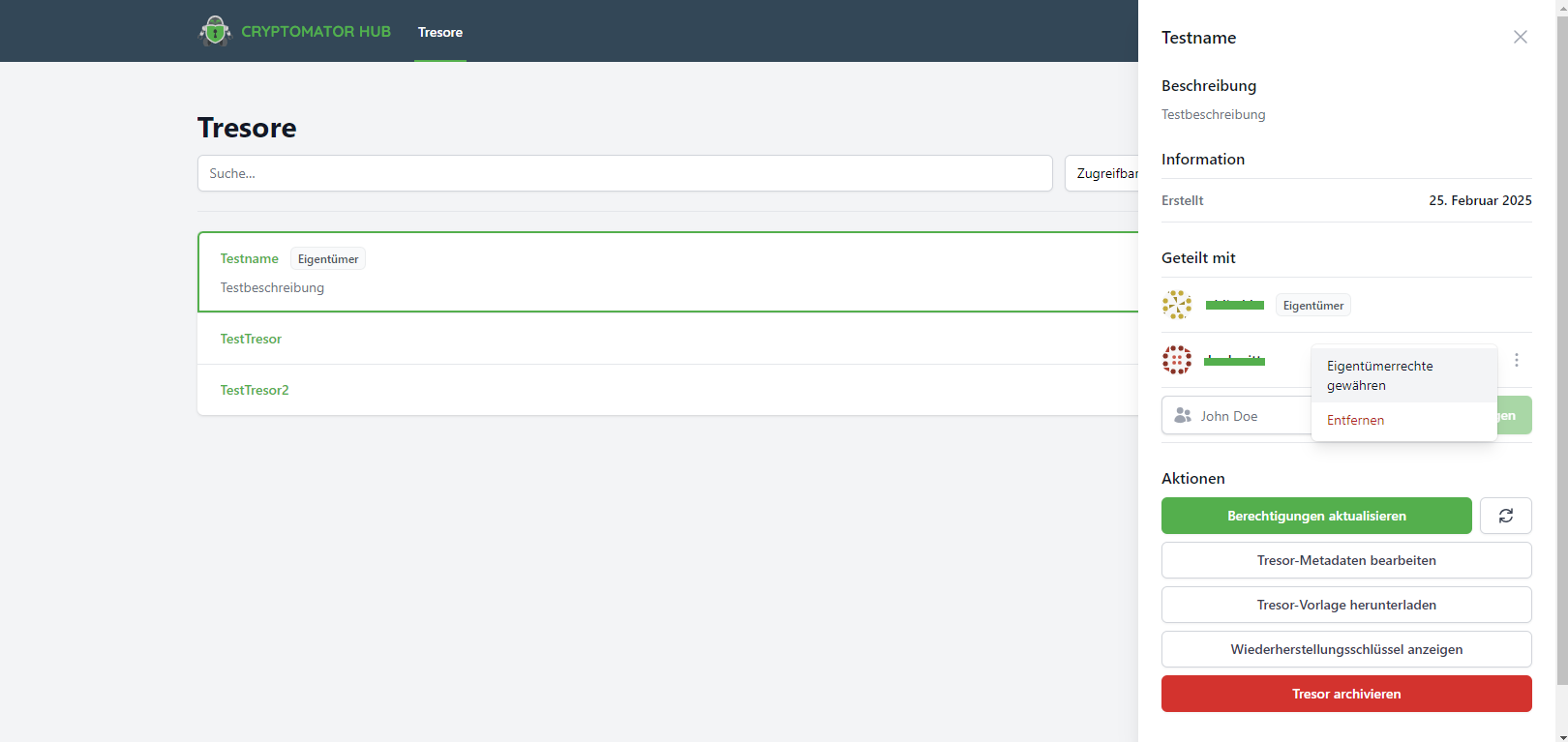
Click on the three dots next to the user name and then on Grant owner rights (Eigentümerrechte gewähren).
Updating vault authorisations
If members of a shared vault have completed the initial login or reset user accounts, a vault owner must explicitly grant access to these users. Only then can the safe be unlocked with their device.
As the owner, you will recognise that an update is necessary when the Update permissions (Berechtigungen aktualisieren) button is clickable.
