Opening existing vaults

To open an existing safe, proceed as follows:
Step 1
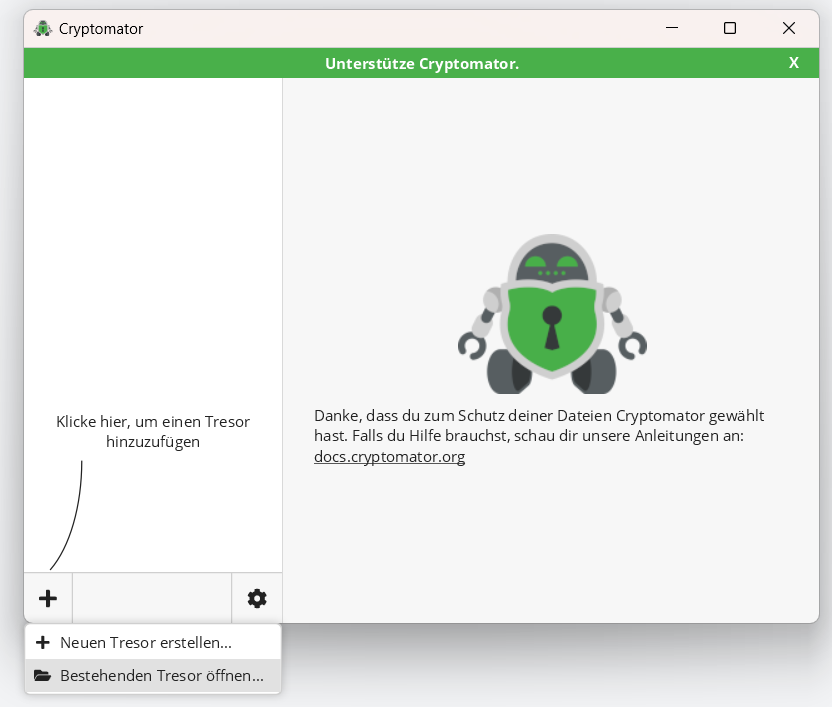
Click on the plus button on the main page of the Cryptomator app and select Open existing vault... (Bestehenden Tresor öffnen).
The file browser opens.
Step 2
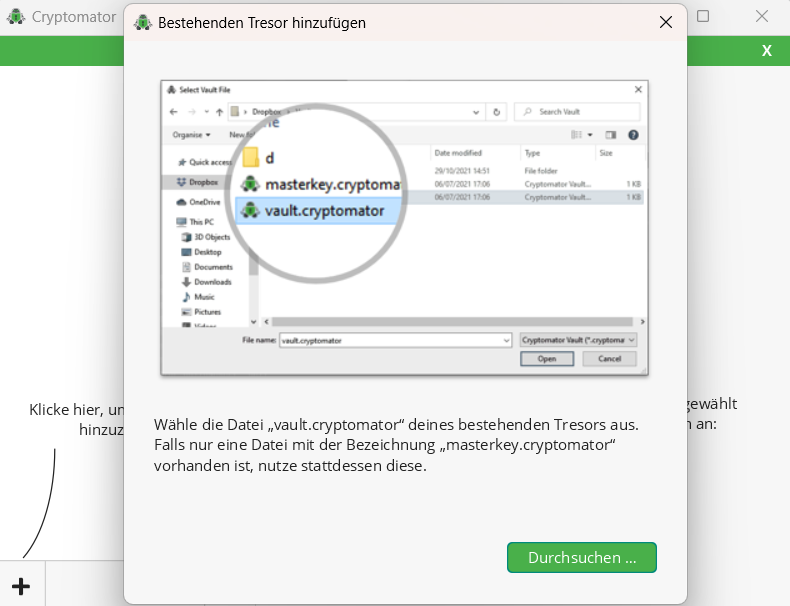
In the file browser, select the Vault file in the format vault.cryptomator that you want to open.
Then click on Open.