


Log in to RWTHonline

On this page you will learn how to log in to RWTHonline.
The login for RWTHonline takes place on the homepage (opens in new tab) and is different for each group of perople.
If you are currently neither employed nor enrolled at RWTH, please register (opens in new tab) first as an applicant in RWTHonline.
Login for students / employees
The category students includes:
RWTH students, senior students, secondary students and cross-registered students.
The category employees includes:
Employees of RWTH, members of FB10, employees of UKA, external teaching staff, external employees and other groups of people who may have received a teaching assignment etc. by arrangement.
- Open the homepage of RWTHonline (opens in new tab).
- Under Login for students and employees, click on Login Access.
- Login via RWTH Single Sign-On. You can find a manual to login on the page RWTH Single Sign-On with MFA.

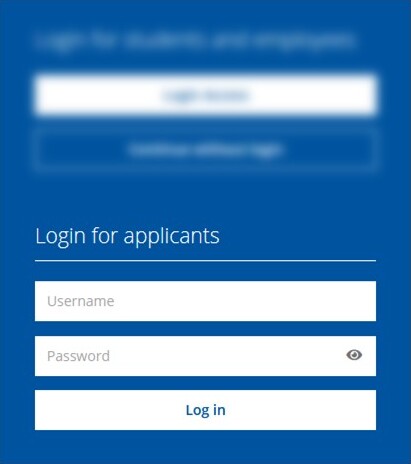
Login for applicants
Applicants and members of the RWTH International Academy / Business School can access RWTHonline via local accounts. These accounts have limited functionality.
- Open the homepage of RWTHonline (opens in new tab).
- Under Login for applicants, enter the username and the corresponding password. Should you not remember your username or the password, the Password help (opens in new tab) will support you.
Additional information:
- What is the RWTH Single Sign-On?
- Manuals and further information about RWTHonline are located in the "RWTHonline-Dokuportal (opens in new tab)" (accessible via the RWTH intranet). These are largely only available in German.
- Courses for employees can be found on the Staff Development Events Database (opens in new tab).
