


Creating a Dataproject

On this page, you will learn how to create a data project and what roles are available in a data project:
Roles in a data project
Every data project has two roles:
Admins
- Each data project can have multiple admins.
- Admins can manage the data project’s data in SeviRe.
- Admins control read and write access for S3 users to the S3 bucket.
- Admins set the storage quota (reserved storage space in GB) and can increase it independently via SeviRe (up to the defined maximum value, see below).
S3 Users
- S3 users are defined in each data project.
- S3 users are granted read or write access to the associated S3 bucket.
- Access is provided via S3-enabled clients (e.g., S3 tools, scripts, backup software).
Create a dataproject
Your data is managed in data projects. For each data project, a bucket is created on the object storage (s3), in which your data to be archived is located.
The creation and administration of a data project is done via the SeviRe (opens in new tab) platform (self-service of virtual resources).
The access to the data bucket is done by any clients, which are able to handle the s3 protocol.
Note: Some home routers that only use UDP (cannot use TCP) to resolve domain names will only have limited access to storage services.
To create a data project, proceed as follows:
Step 1
Open SeviRe (opens in new tab) and click on the "DigitalArchive (opens in new tab)" tab.
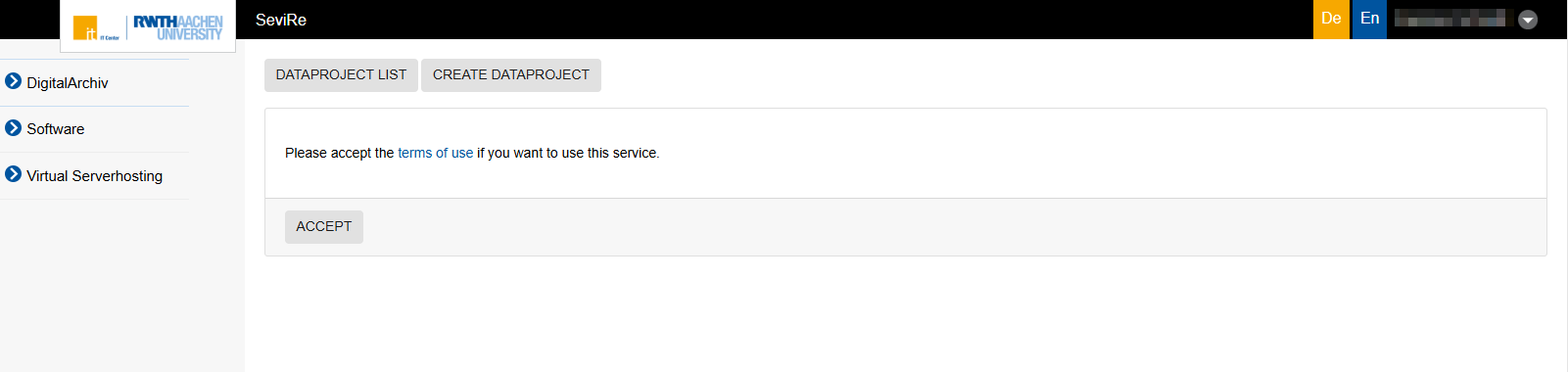
After you have accepted terms of use, you will see a listing of your institution's data projects.
Step 2
To create a new project, click the button Create Dataproject.
Step 3
Then you can define the management data for your project:
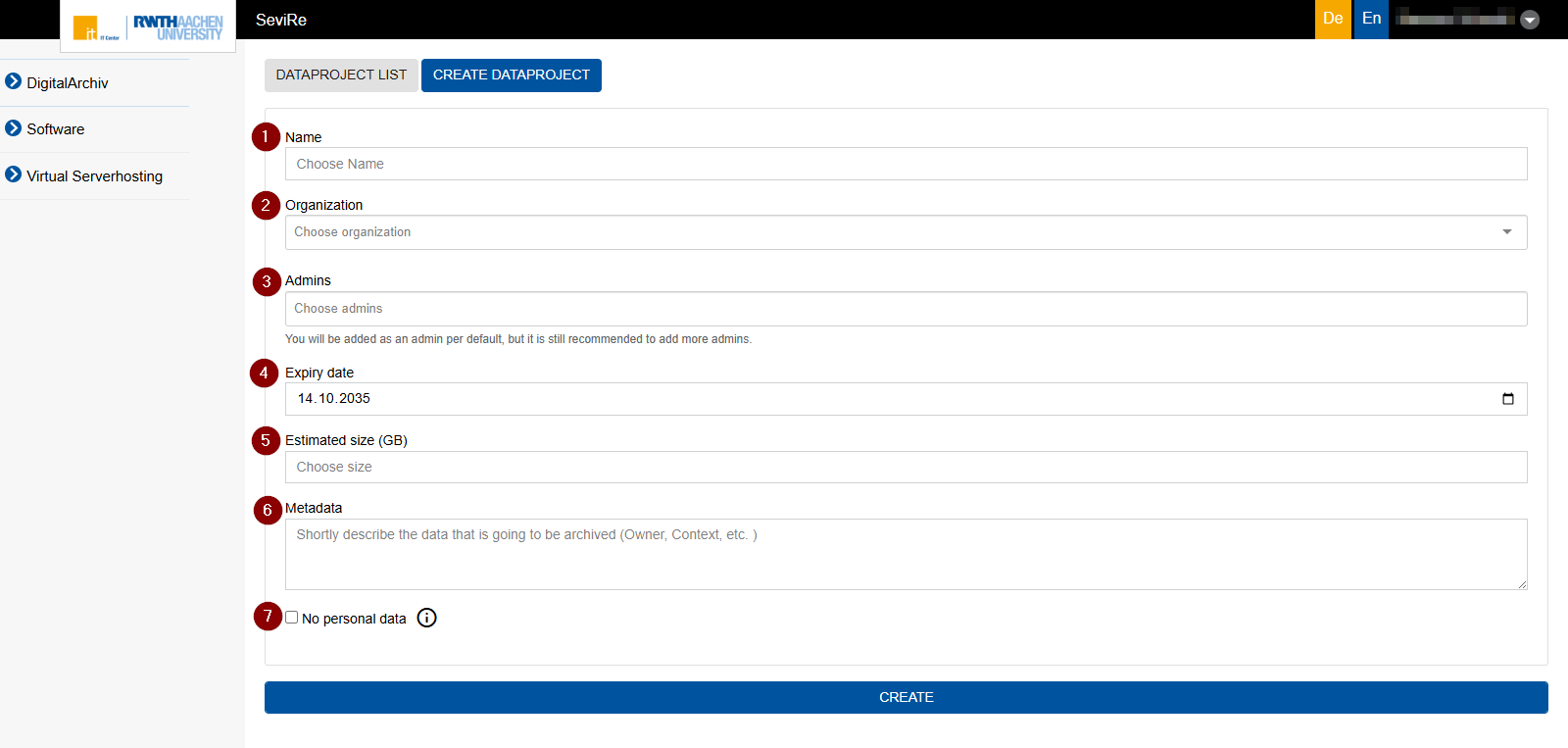
- Name: A freely chosen, descriptive name for your data project.
- Organization: Select your institution (IKZ code can be entered)
- Admins:
- You are automatically created as an admin for the data project.
- At least two admins must be assigned to each DigitalArchiv data project. You can add additional admins from your institution (with the same IKZ code).
Note: Each person must have logged into SeviRe (opens in new tab) at least once previously to be selected as an admin.
- Expiration Date:
- The date until which the data project is to be retained.
- During initial setup, a retention period of 10 years is set by default.
- Note: Registered admins can adjust the expiration date at any time via the SeviRe portal and renew the retention period at any time for up to a maximum of 10 years into the future.10 years is also the maximum possible period per setting.
- Estimated data volume:
- Here, you specify how much storage space your project is expected to require.
- This value determines the size of the corresponding S3 bucket.
- Note:
- When creating the data project, you can set a storage quota of up to 100 TB.
- If the data project is initially created with less than 100 TB, administrators can independently increase the storage quota in the SeviRe portal at any time, in increments, up to 100 TB.
- If you require more than 100 TB of storage space (during setup or ongoing operations), please submit a ticket to the Service Desk.
- Metadata:
- Here you describe what type of data is stored in the archive.
- This information is used for internal classification and facilitates traceability later on.
Note: No research data of any kind may be stored in the DigitalArchive. For the storage and management of research data, please use the designated platform, CoScine.
- No personal data:
- Use this checkbox to indicate whether personal data is stored in this archive.
- The checkbox can be selected at any time, but for traceability reasons, it cannot be deselected.
- This setting may have legal and data protection implications for long-term access to the archived data. Please refer to your institution’s terms of use and Privacy Policy.
Background: The Digital Archive uses WORM (Write Once Read Many) storage. Once data is stored, it cannot be deleted from a data project. It is only possible to delete the entire data project, not individual parts of it.
Step 4
Click on Create to generate the data project.
The corresponding S3 bucket is created automatically, and you can then access it using S3-compatible clients.
