


Workload-limitation for Commvault processes (Windows)


Please note
The generic Backup & Restore documentation has moved and can be found here from now on: doku.dasi.nrw (opens in new tab).
To limit the load generated by Commvault processes, you can make a manual adjustment on the client system.

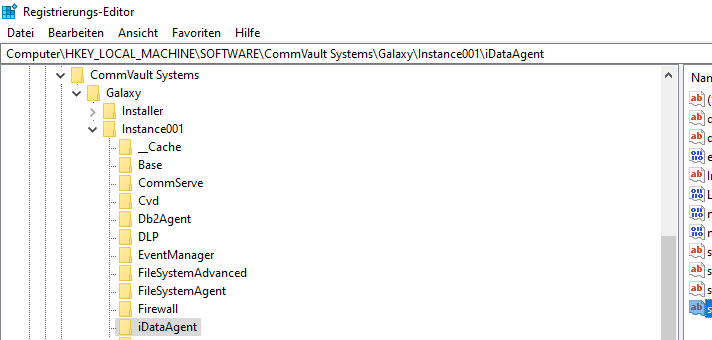
We need to place the Registry key under "Computer\HKEY_LOCAL_MACHINE\SOFTWARE\CommVault Systems\Galaxy\Instance001\iDataAgent".
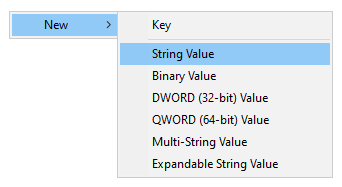
To create a new key, start by right-clicking in the right panel of the Registry Editor, in the pop-up window click New -> String.
Enter the name "sSDTHeadMaxCPUUsage" and enter "25" as the value.
The values should be entered in Integer with value of 25 which would denote 25%.


Related content:
