


Azure for Students

On this page you will learn about the registration and use of Microsoft Azure for Students.
- Microsoft Azure for Students is an offering from Microsoft that provides students with a budget of 100 USD to use Microsoft Azure resources.
- Azure for Students is used exclusively via private Microsoft accounts and not via the accounts provided and administered by RWTH for the Students tenant.
- If you do not have a private MS account, please create one beforehand. Use an email address that is not from RWTH Aachen.
Follow these steps to registrate and login:
Registration
Step 1
Register with a private MS account on the Azure Loginpage (opens in new tab). Do not use your RWTH email address.
Step 2
For verification of affiliation with the educational institution, enter your@rwth-aachen.de email address.

Step 3
After the data has been entered, click Verify academic status at the bottom. An email will then be sent to the stored RWTH address.

Step 4
The email contains a link. Open the link a new browser tab.
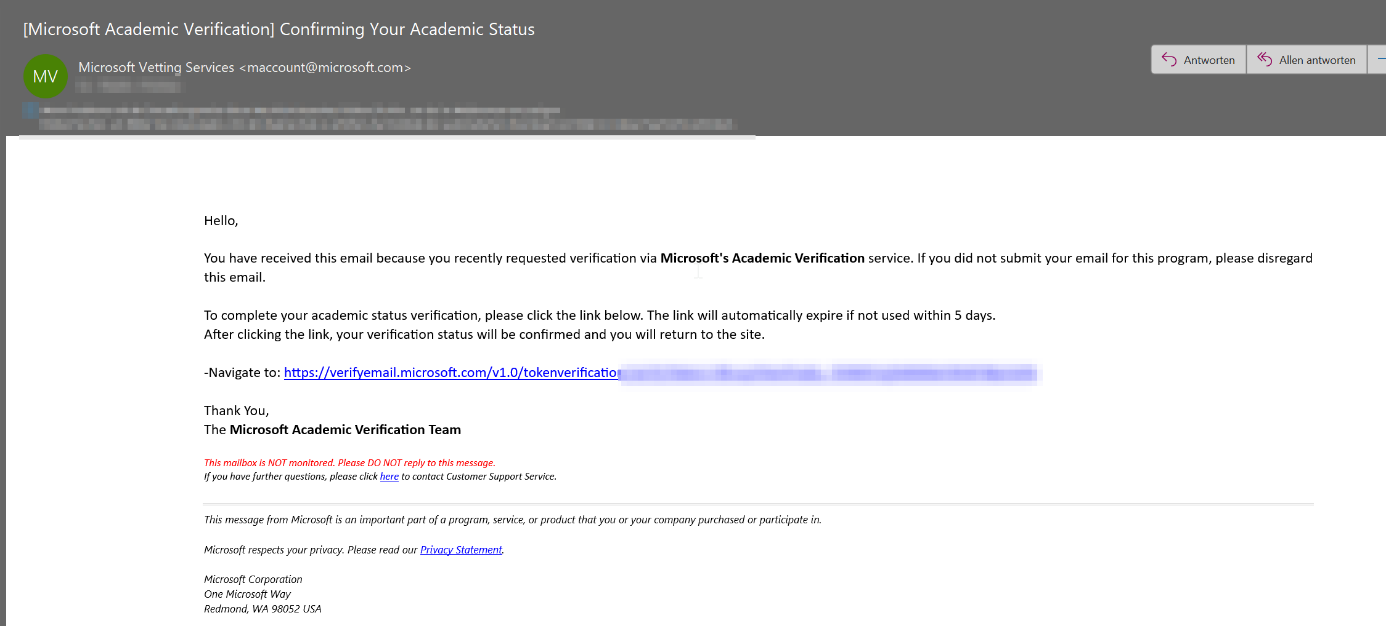
Step 5
It may take some time for verification and the browser window stays blank. After a while the page should load and the following message will appear:
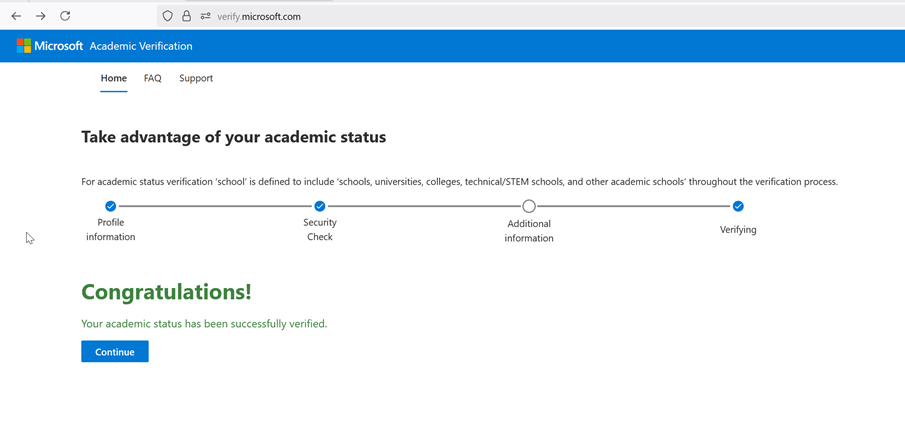
With this message the verification is complete and you can close both browser windows.
Login
You can login and use Azure for Students only with a personal Microsoft account.
Login to Azure for Students on the following pages:
- Landing page of the Azure portal (opens in new tab)
- Section Azure Education in the Azure portal (opens in new tab)
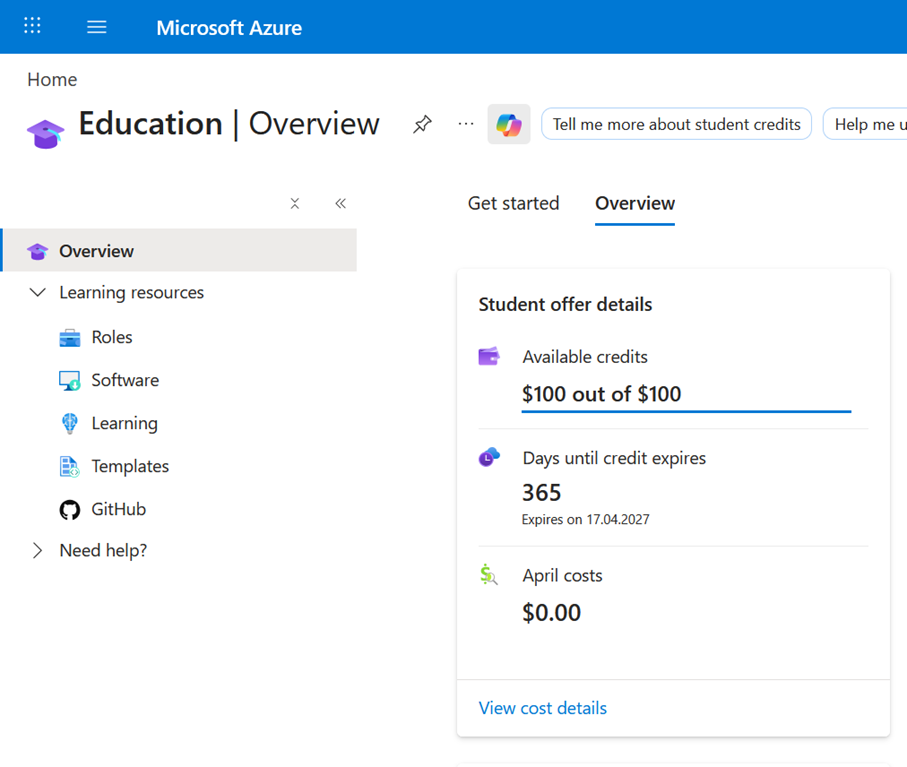
Additional information:
Information (opens in new tab) on the Azure for Students program (Azure Education Hub)
