


Zoom Login


Please note
This page describes how you can log in into and use Zoom.
Zoom can be used either via the client software or directly in a web browser. Using the client software requires prior installation on your device, whereas using Zoom in the browser does not require any installation.
RWTH Aachen uses the ZoomX-solution provided by Telekom Deutschland as s this version offers enhanced data protection (for more informatione see privacy policy).
We recommend using Zoom via the Zoom client with your RWTH Single Sign-On (SSO) account.
You can access Zoom via SSO both in the Zoom client and via browser:
- Please use the RWTH login screen to access Zoom via browser
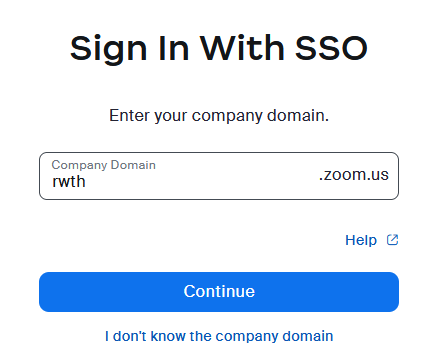
- When logging in via the Zoom landing page or in the client, enter rwth as your "company domain" after you have chosen the SSO login.
To join a meeting, you do not need to create a Zoom account or download the client. However, for Zoom-monitored exams, you may be required to log in in Zoom with your SSO account.
Make sure to keep your Zoom client up to date. To do this, click on your profile icon in the top right corner of the client’s home screen and select Check for Updates. If a new update is available, you can install it with one click. Zoom will then restart automatically.
