

You are located in service: Azure

Home Screen

Home Screen

information

The home screen shows the most relevant information in one convenient overview.
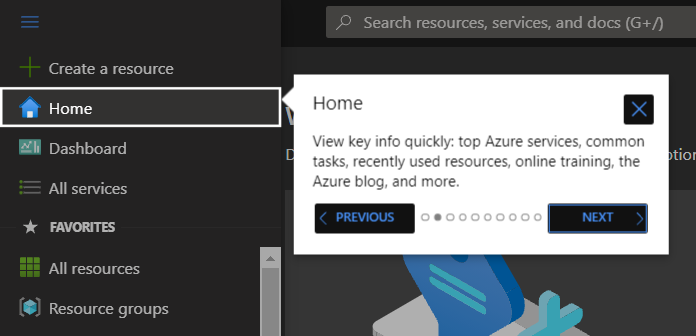
Screenshot of the left navigation bar. The "Home" menu item is highlighted. An information pop-up displayed to the right explains the function of "Home" and contains the navigation buttons "Back" and "Next" at the bottom.

You can, for example, view recently used resources, subscriptions, the Azure active directory, your virtual machines and other Azure services.

Screenshot of the "Azure services" bar. The icon for "Subscriptions" is highlighted. It is located as the second element from the left, between "Create a resource" and "Azure Active Directory".

By hovering over the Azure services with your mouse, you can view further details and options, like links to Microsoft documentations or virtual machine settings.
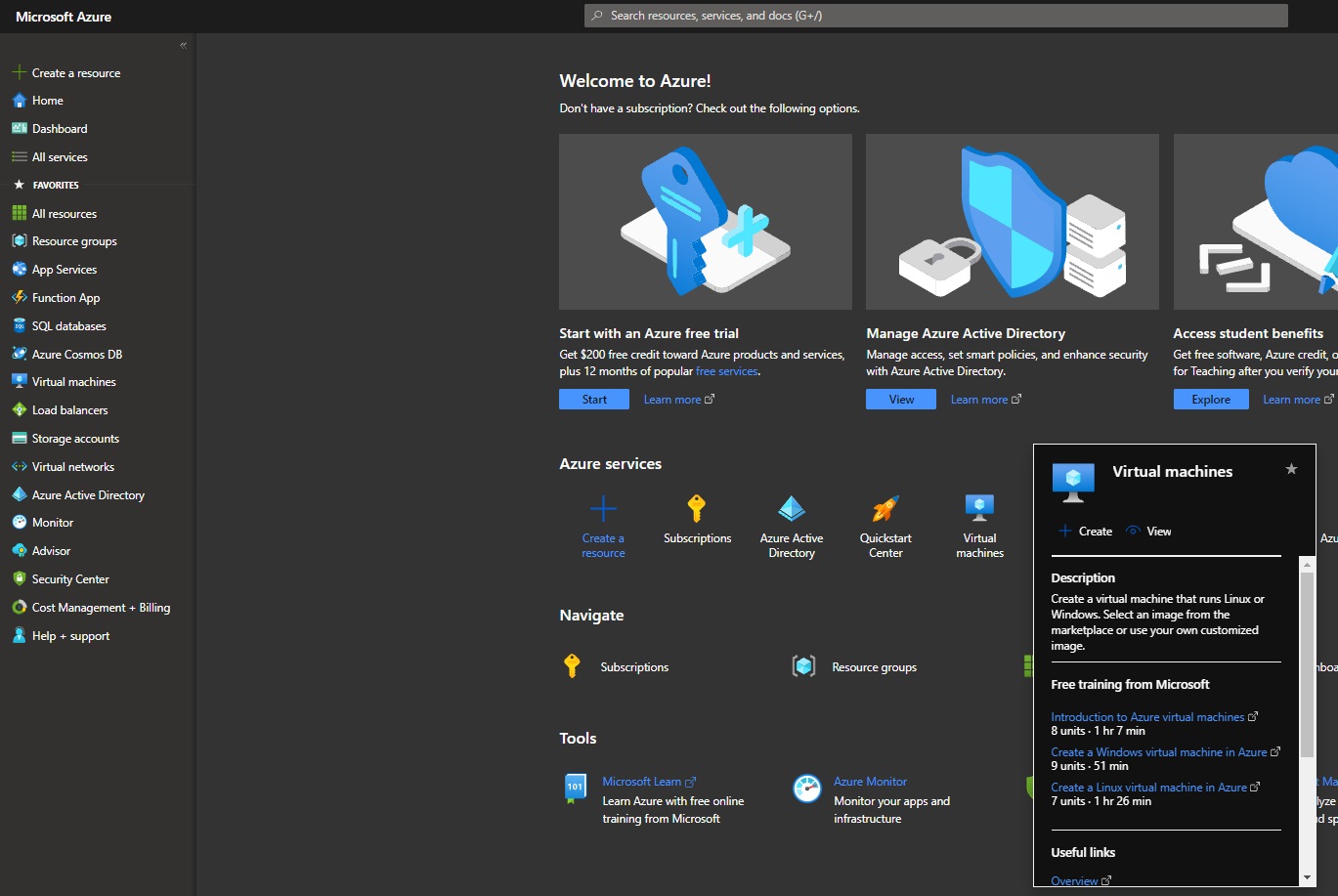
Screenshot of the "Azure services" area. An info window is displayed over the "Virtual machines" icon. It contains the "Create" and "View" buttons at the top, and in the lower section, links to "Free training from Microsoft" and "Useful links".

last changed on 11/27/2025

How did this content help you?

Creative Commons Lizenzvertrag
This work is licensed under a Creative Commons Attribution - Share Alike 3.0 Germany License